Page History
[  |../../index.htm#lansa/repeng01_0045.htm]
You are here:
...
In this step, you will add an index to the Employee table to key it by the Department Code.
1. Open the iiiEmployees table in the editor and select the Indexes tab.
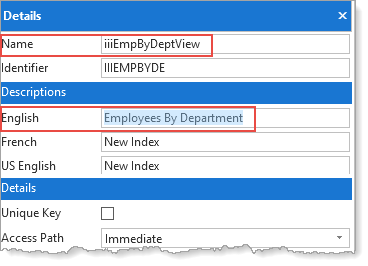
2. On the Home ribbon, expand the Add menu to select Add Index. Create an index:
Name |
...
iiiEmpByDeptView |
Description |
...
Employees by Department Code. |
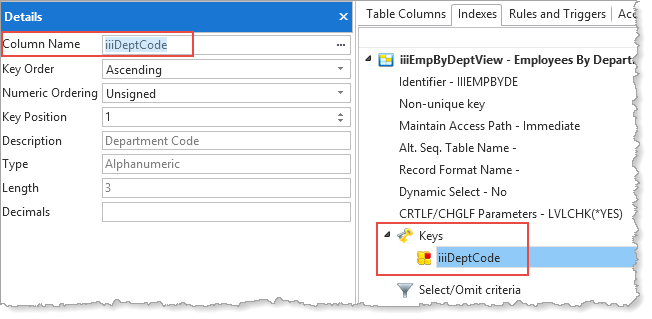
3. Select the Keys/New entry and make the iiiDeptCode field the key.
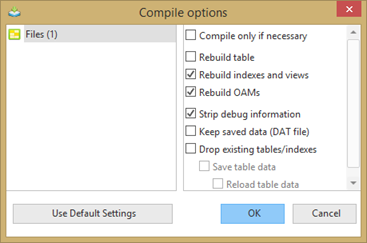
4. Compile the table and then close it. Use the Compile with with options to ensure that you Rebuild indexes and views and Rebuild OAMs. It is not necessary to Rebuild Table.
5. Display the list iiiLIST and select the iiiEmployees table.
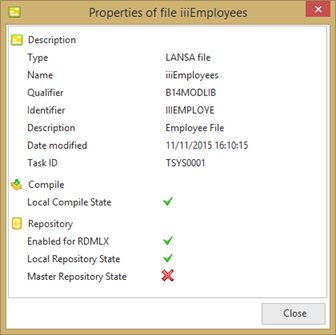
6. Right-click and select Properties from the context menu. Notice that the table properties shows brief details of the table such as Date Modified, Task ID, and Local Compile State:
You You will be using this index in a later exercise.
[ |../../index.htm#lansa/repeng01_0045.htm]