Page History
...
The By Location and By Date filters for the Employee business object are no longer required, so you can delete them them before this step (if you have completed the Windows tutorials, you will already have removed them from your Framework design).
- Display the Employees business object in the iii DEM application.
- Use the By Name filter to add entries to the instance list.
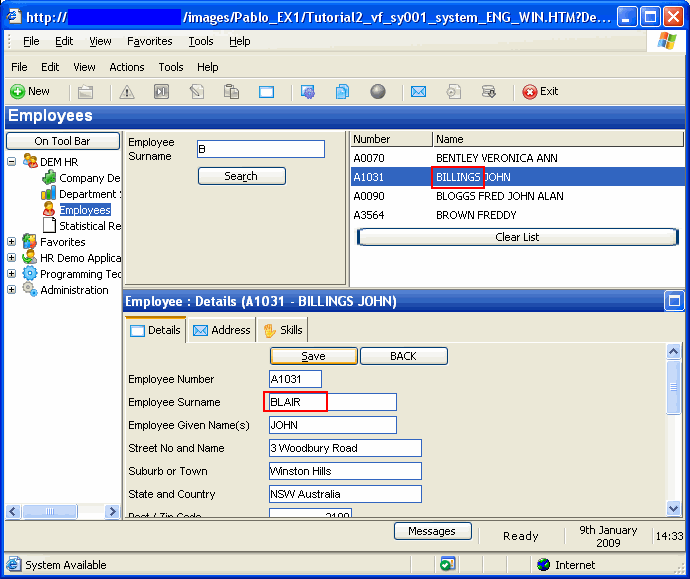
- Select one of the entries and change the employee surname in the Details command handler.
- Click the Save button. Notice that the new surname is not reflected in the instance list entry:
In the following steps, you will use the signal method in the Details command handler to notify the Employees filter that an employee has changed. You will then add code to update the instance list.
- Close the application.