Page History
[  |../../index.htm#lansa/reptut01_0345.htm]
You are here:
...
In this step, you will recompile the Employee table so that the new rules will be applied.
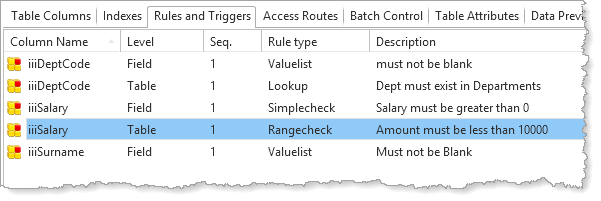
1. View the rules for the Employee table. Notice it now has both Field and Table Level rules.
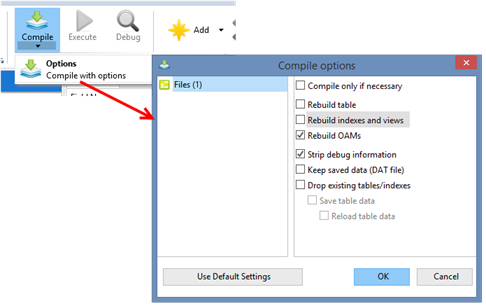
2. Recompile the iiiEmployees Employee table. Note
| Note |
|---|
| Note: Once again that the changes made to the Employee table concern table level validation rules, so you just need to recompile the OAM. The last compile action used this option. If you click on the Compile button, the same option will be used again. |
Remember Remember to check the correct compile options are used by using the Compile options dialog.
3. Check that the table compile completed successfully.
4. Execute your Employee Maintenance form iiiMaintEmployee
a. Fetch an employee and try to update the details with a Department (such as XXX or blank) that does not exist.
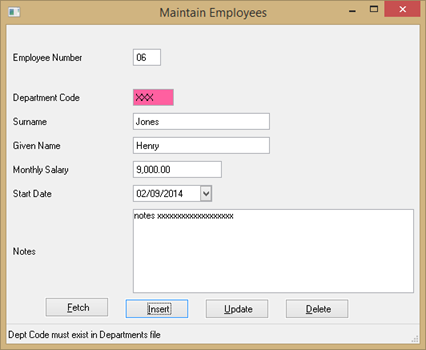
b. Fetch an existing record and try to change the Salary to 10001.
If If these entries weren't rejected, check the validation rules that you created during the previous steps.
5. Close the form.
6. Close the table in the Editor.
[ |../../index.htm#lansa/reptut01_0345.htm]