Page History
[  |../../index.htm#lansa/vedeng01_0045.htm]
You are here:
...
The Find dialog allows you to refine your search.
If necessary, move the cursor back to the top of the form by pressing Ctrl+Home.
1. Click on the Find button or  or Ctrl+F to open the Find dialog and the Source tab of your current object:
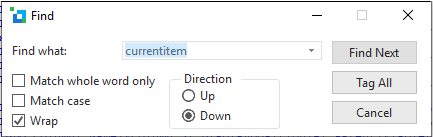
Note Note that this dialog gives you the option to match the case of your text in Find what or to match only whole words.
2. In the Find dialog, enter currentitem in the input box.
3. Click the Find Next button.
The first occurrence of the string is located in the code.
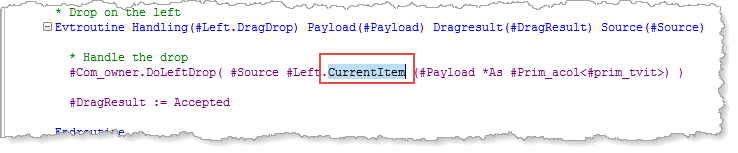
4. Use the Find Next button in the Find dialog to find the next occurrence of currentitem. And so on.
5. Click on the Esc button or to  to close the Find dialog.
[ |../../index.htm#lansa/vedeng01_0045.htm]