Page History
[  |../../index.htm#lansa/edttut01_0140.htm]
You are here:
...
In this step, you will search for text in all Repository objects that contain source code.
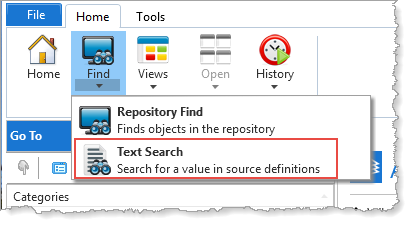
1. Select Find / Text Search on the Home ribbon.
2. In the Text Search dialog, specify to search all Forms and Reusable Parts for the text SELECT. Limit the search to objects starting with XDEMO*. Note the wildcard '*'.
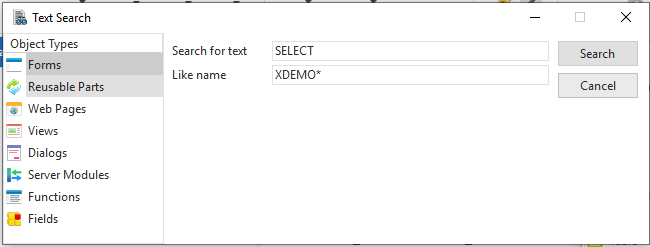
3. Click the Search button.
The Text Search tab at the bottom of the editor now shows all the forms, reusable parts, and server modules starting with XDEMO that contain the text SELECT.
[ |../../index.htm#lansa/edttut01_0140.htm]
