Page History
If your Framework is enabled for VLF-WEB or VLF.NET applications, this form is presented whenever you save changes you have made to your Framework design.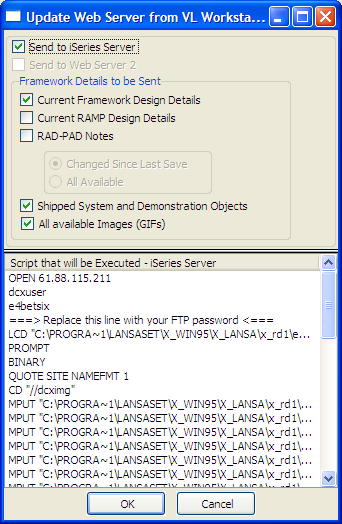
This form will send your Framework details to your selected LANSA for the Web server(s) so that they can be executed as part of a Web browser application.
...
For more information about the upload script and your associated LANSA for the Web server(s) refer to the Developer Preferences – Web Server tabs in your Framework properties by using menu options (Framework) -> (Properties).
The options available on this form are: