Page History
[  |../../index.htm#lansa/frmeng01_0080.htm]
You are here:
...
In this step, you will create a Form and open it in the LANSA editor.
1. On the File menu, use the New button and select Desktop / Form / Dialog. This will create a form which already has a table layout manager component, with 2 rows and 2 columns and OK and Cancel push buttons defined in Row 2, Column 2.
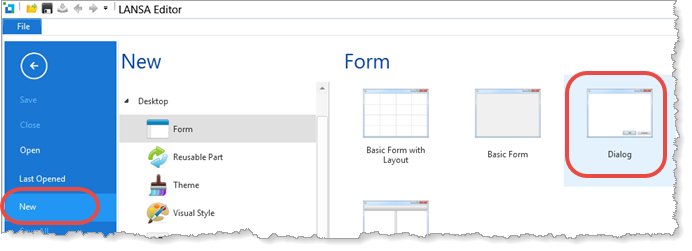
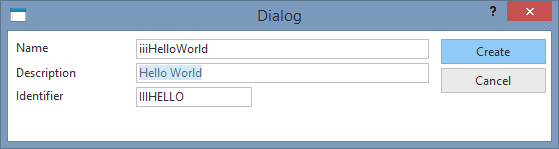
The The create Dialog panel is displayed. Enter
Enter the following for the form:
a. Name Name: iiiHelloWorld (where iii=your initials) *
b. Description Description: Hello World
c. Click the Create button.
22. The form will open in the editor.
[ |../../index.htm#lansa/frmeng01_0080.htm]