Page History
[  |../../index.htm#lansa/frmeng01_0140.htm]
You are here:
...
1. Select the field STD_TEXT and change its properties as follows:
Property | Value |
|---|---|
Caption | Enter some text |
LabHorAlignment | Left |
LabelPosition | Top |
LabelType | Caption |
|
2. Drag field STD_DESCL on to onto the form in Row 1Row 1, Column 1Column 1. Select the Layout ribbon:
a. Change Alignment to Top Left and Flow to Down.
b. Change margin Left to 10 and margin Top to 20.
c. On the Details tab, set up its properties as follows:
Property | Value |
|---|---|
Caption | Display the results |
LabelHorAlignment | Left |
LabelPosition | Top |
LabelType | Caption |
Width | 374 |
|
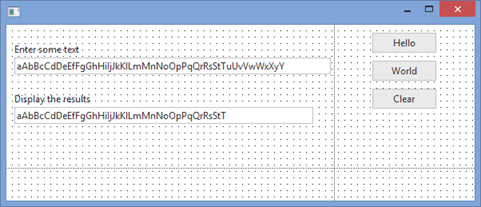
Your Your form should now look like the following:
3. Select the first field, STD_TEXT, and create a Changed event for it. Remember you can do this either using the Events tab on the Details tab, or on the Design tab using control's context menu / Events : STD_TEXT / Changed Event.
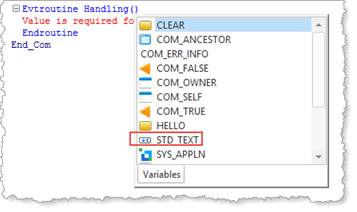
You can also enter the event routine code in the editor, using AutoComplete:
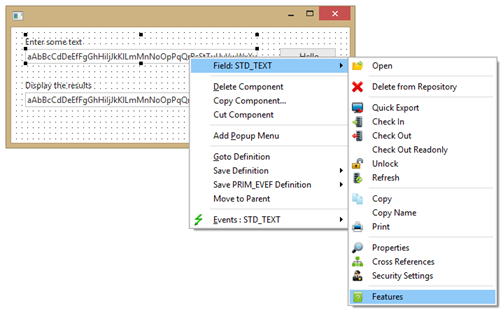
4. With the STD_TEXT selected, press F2. Alternatively, use the context (right click) menu and select Field : STD_TEXT / Features.
The The Features tab shows the events, properties, and methods for the selected component, in this case field STD_TEXT.
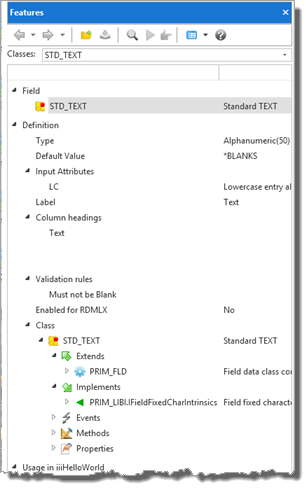
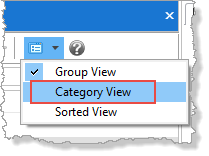
5. Click on the Views button in the tab toolbar and choose Category View:
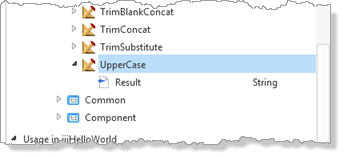
6. Expand the Intrinsics for this type of field. Scroll down and note that there is an UpperCase method.
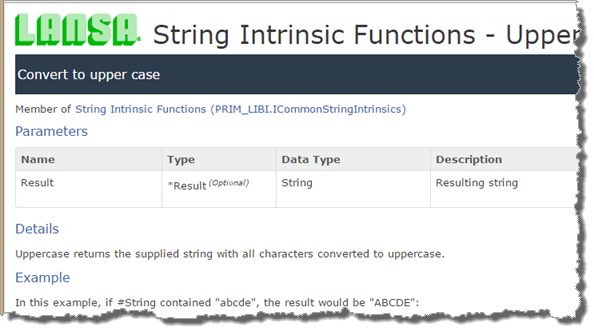
7. Double click on the UpperCase method to see the help for it, displayed in your default browser.
8. Add the following code to the STD_TEXT.Changed event routine. New code is shown is shown in red. Evtroutine Handling
Evtroutine Handling(#STD_TEXT.Changed) OptionsOptions(*NOCLEARMESSAGES NOCLEARMESSAGES *NOCLEARERRORS) #STD_DESCL DESCL := #STD#STD_TEXT.UpperCase Endroutine
9. Change the CHANGE statement in the CLEAR.Click event to include STD_DESCL. Change Field
Change Field(#STD_TEXT #STDTEXT #STD_DESCL) ToTo(*blanks)
10. Recompile and test your form. Type into the first field and observe the output in results field. Your form should look like the following:
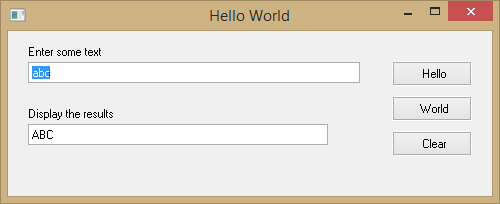
Observe Observe that for every change event (character typed) the STD_TEXT.Changed event routine is executed and replaces STD_DESCL with the new value of STD_TEXT.
11. Change the STD_TEXT.Changed event routine logic to the following:
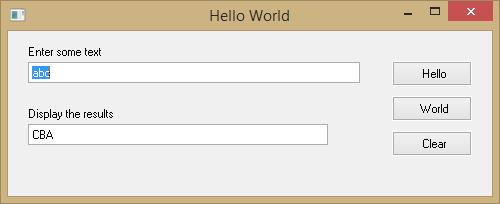
#STD_DESCL DESCL := #STD#STD_TEXT.upperCase.Reverse
12. Recompile your form. Make sure the form was closed before recompiling.
13. Test your form. Type into the first field. The results should look like the following:
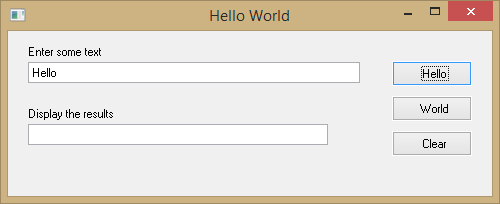
14. Clear the fields using the Clear button. Click on the Hello button. Your form should look like the following:
Note
| Note |
|---|
| Note: The Changed event for field STD_TEXT has not been triggered. Programmatic changes to a component (in this case a field's value) do not trigger its events. |
For For general information about Intrinsics, refer to Understanding Intrinsics in the Technical Reference Guide.
[ |../../index.htm#lansa/frmeng01_0140.htm]