Page History
[  |../../index.htm#lansa/wbfeng01_0165.htm]
You are here:
...
1. Select the Controls tab. Drag three push buttons onto the right-hand column.
2. Select all the push buttons.
3. Select the Layout ribbon, change Alignment to Top Left and Flow to Down.
a. Change their margin Top and Left to 20.
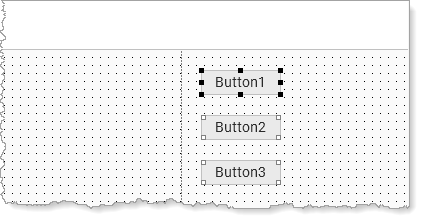
Your design should look like the following:
4. Select the Details tab. Select
Select each push button in turn and set its properties as shown in the following table:
...
Property | Value | |
|---|---|---|
Button1 | Caption | Save |
Name | SAVE | |
Button2 | Caption | Fetch |
Name | FETCH | |
Button3 | Caption | Clear |
Name | CLEAR |
|
5. Create a Click event for each button.
6. Save your web page.
[ |../../index.htm#lansa/wbfeng01_0165.htm]