Page History
[  |../../index.htm#lansa/wbfeng01_0525.htm]
You are here:
...
1. Create a New / Web Page. Name
Name: iiiEmployeesTree.
Description Description: Employees Tree with More / Less.
2. On the Details tab, define the web pages Theme property as xDemoTheme. This is a Theme component supplied as part of the web page demonstration material.
3. Add a Table Layout with 5 rows and 5 columns.
4. On the Controls tab, expand the Tree component. This will list all UDC reusable parts which expand the Prim_Tree.iTreeDesign component.
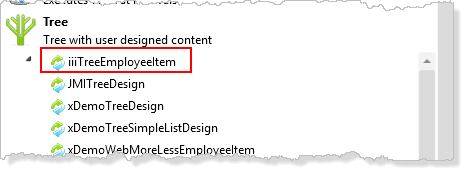
a. Drag the Tree using your iiiTreeEmployeeItem onto the left of the top row. This will create a Tree control (Tree1) which uses your Tree Employee Item component, for example:
Define_Com Class(#PRIM_TREE<#IIITREEE>) Name(#Tree1) Displayposition(1) Height(640) Left(0) Parent(#COM_OWNER) Tabposition(1) Top(0) Width(800) Note
| Note |
|---|
Note: Class(PRIM_TREE<#IIITREE>) refers to your tree item reusable part by its Identifier name. |
b. Select the iiiTreeEmployeeItem and using the Layout ribbon, change Alignment to Top Left and Flow to Down.
c. Change Size to Fit Both.
d. Define the tree (Tree1) as occupying 4 rows and 4 columns:
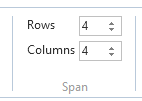
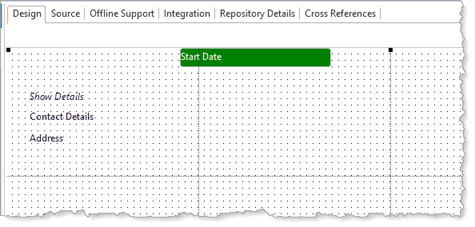
Your Your design should look like the following:
Note
| Note |
|---|
| Note: All the fields in the iiiEmployeeTreeItem UDC are ReadOnly = True and the field Captions have been hidden. They will not be shown in the Design view. |
5. Switch to the Source tab.
6. Copy the working list, xEmployeeList from the iiixEmployeeDataServer Server Module into your web page.
7. Create a method routine with the name GetEmployees, based on the following:
Define a component for the srvroutine FindAll in Server Module iiixEmployeeDataServer, with the name GetEmployees.
Execute GetEmployees asynchronously passing xEmployeeList.
Within an event routine for GetEmployees.Completed:
Clear the list component Tree1. Select
Select all entries in the list xEmployeeList
Add each entry to the list component Tree1. End
End select list.
Your Your completed code should look like the following:
Mthroutine Name(GetEmployees) Define_Com Class(#iiixEmployeeDataServer.FindAll) Name(#GetEmployees) #GetEmployees.executeasync( #xEmployeeList ) Evtroutine Handling(#GetEmployees.completed) Clr_List Named(#Tree1) Selectlist Named(#xEmployeeList) Add_Entry To_List(#Tree1) Endselect Endroutine
Endroutine Endroutine
| Note |
|---|
...
Note: The Add_Entry to list component Tree1, will execute the OnAdd method in the Tree Employee Item reusable part, passing the fields defined by the ListFields Group_By in the reusable part definition. That is:
|
8. Create an event routine for the web page's CreateInstance event.
Invoke the GetEmployees method. Your code should look like the following:
Evtroutine Handling(#com_owner.CreateInstance) #com_self.GetEmployees Endroutine
9. Compile your web page.
[ |../../index.htm#lansa/wbfeng01_0525.htm]