Page History
...
When you start up your custom web page, you will see the other custom logon reusable parts created for you:
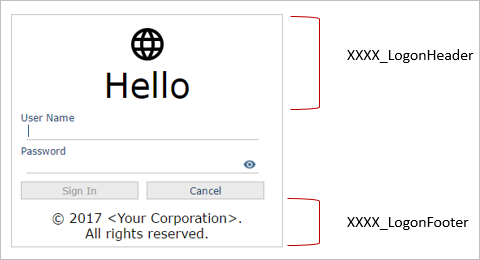
Altering the shape and appearance of these parts is the easiest way to customise customize your Framework's logon.
After your custom web page has been created, open it in the Visual LANSA IDE and switch to the Resources tab.
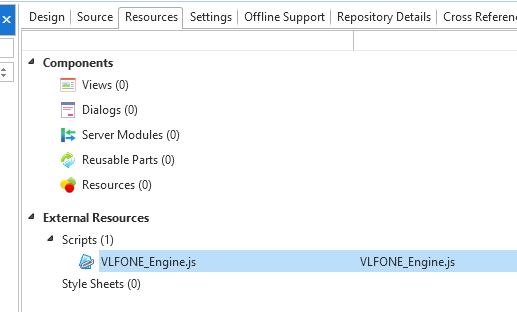
Add the script VLFONE_Engine.JS to the scripts list. Save your changes and recompile the launch page.
| Note |
|---|
| Note: You must do this before you deploy your application. |