Page History
WAM010 - Using WEB_MAPs
In this step, you will create a new Web Application Module that will eventually demonstrate the use of the WEB_MAP statement. 1. In
- In the LANSA Editor window, click the New button and choose Web Application Module.
...
The New WAM dialog will appear: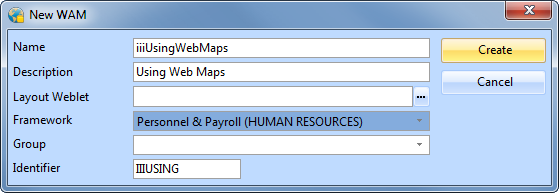
...
- In the New WAM dialog box:
...
- Enter a Name of iiiUsingWebMaps (where iii are your initials).
...
- Enter a Description of Using WEB_MAPs Demo.
...
- Leave the Layout Weblet field blank.
...
- Select the Personnel & Payroll Framework.
...
- Click the Create button to create the new WAM.
- Click the Create button to create the new WAM.
...
- The LANSA Editor will now display the WAM's RDMLX code. At this stage, it will not contain any WebRoutines.