Page History
...
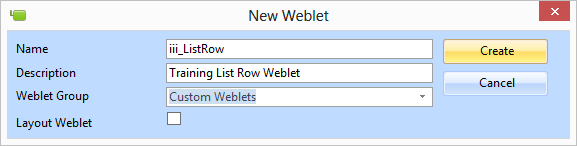
- Create a new weblet as shown:
...
Give the weblet a Weblet Group of Custom Weblets.
...
- If the group Custom Weblets does not already exist, type the name into the Weblet Group combo box and a new group will be created.
...
- Copy the weblet XSL code from WAM090. Appendix, at the end of this exercise
...
- and replace the default code in your new weblet.
...
- Save the new weblet definition.
...
- Select the XSL tab and use the Replace dialog to replace all occurrences of iii_ListRow with the same name using your initials in place of iii. There should be 5 occurrences.
...
- Save your changes.
...
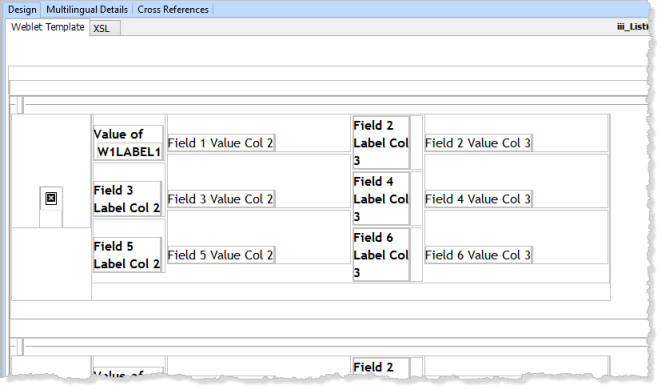
- Select the Design view. Your weblet design should look like the following:
...
A row is defined with an image on the left hand side and data fields and label fields arranged in three rows with four columns.