Page History
グラフの余白サイズをピクセルで指定することができます。余白は指定のグラフのサイズ(幅x高さ)から内側の方向に計算されます。この余白によってグラフの全体サイズが大きくなるわけではなく、必要があればグラフが縮小されることに注意してください。
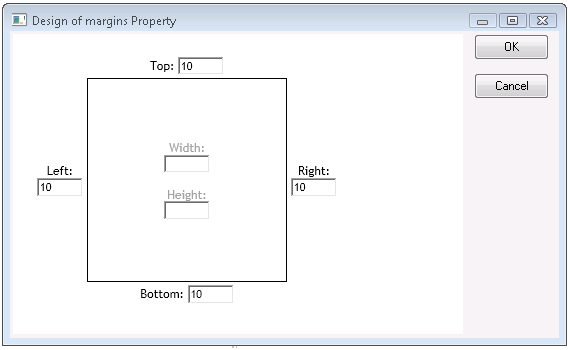
余白のプロパティ・カスタマイザーをクリックして、マージンを入力します。マージンが入力されない場合は、グーグルによりグラフのサイズに基づいて自動的にマージンが決定されます。
You can specify the size of the chart's margins, in pixels. Margins are calculated inward from the specified chart size (width x height); Note that the margins don't increase the total chart size, but rather shrinks the chart area, if necessary.
Click on the margins property customizer to enter margins. If you don't enter margins, Google will determine them automatically based on your chart size.