Page History
| Save a package by selecting the Save tool on the Package Maintenance Window toolbar or select the Save command in the Package menu. |

...
Once you have saved a package, you can build it as described in 7 6.7 Build a Version or Patch.
| Info |
|---|
| Until a package is saved for the first time, a minimum set of information is saved to the disk. If you do not save the package, the next time you open it, you will only see the defaults (that is, the minimum set of information that was saved). |
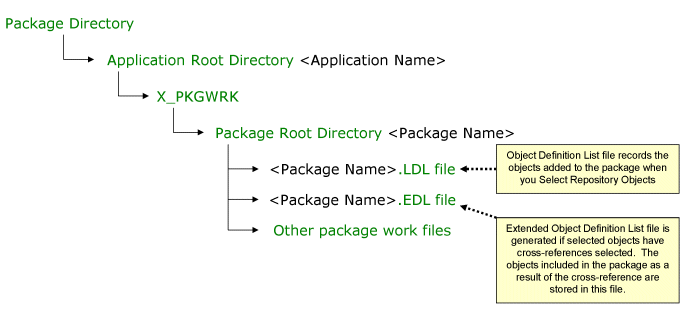
The saved package details are stored in a working directory structure: