Page History
4.7.3 Source Code Find and Replace
Search code is searched using the Find commands in the ribbon:
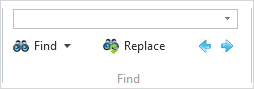
These Find commands are only available for use with the Source tab.
...
- using the Find command in the ribbon
- pressing the Ctrl + F buttons
You can browse backwards backward or forwards forward through your search results using the forward and back buttons.
To use the Replace facility:
- use the Replace command in the ribbon
- press the Ctrl + H buttons.
For further information, refer to the Source tab's Find and Replace.