Page History
8.1.3 Navigate the Ribbon with Access Keys
When you want to use the keyboard to move around the Ribbon, press the ALT key to enable keyboard control and display the key tips for access keys on the ribbon:
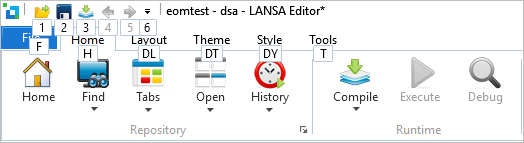
As you can see in the picture above, the access keys for the 8.2 Quick Access Toolbar are numbers. The other access keys are for the different tabs on the ribbon.
For example to display the access keys for the Home tab press H to display the access keys for the tab:
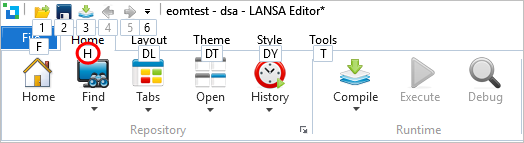
Now you can use the access key to invoke a command on the tab. For example to compile an object, press M:

ALT + F displays the File tab with access keys enabled:
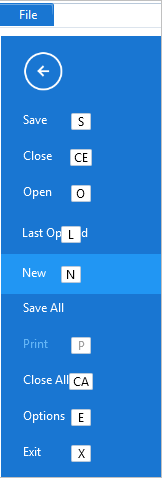
You only ever see the key tips for the active tab.
To hide the key tips press Esc.