Page History
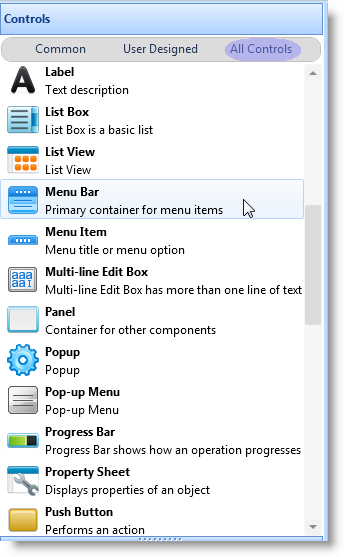
You need a menu bar to contain the menu items. So, to create a menu, first drag a Menu bar from the Controls tab to your form.
The menu bar is automatically attached underneath the form's title bar. When you first add a menu bar to the form, the menu bar is shown with a box with the text Item1. This is a first-level menu item (menu title). Replace this text with the title of your first menu.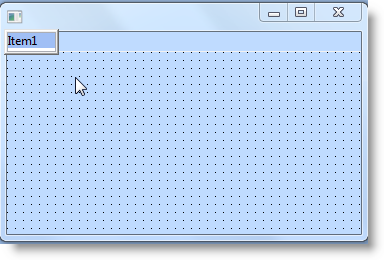
To add another menu title, use the Tab key: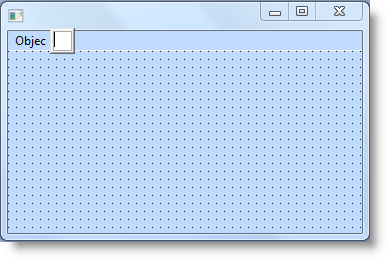
A box for the title of the second menu is displayed. Enter the caption for the second menu title.
To add menu items underneath the menu titles, press Enter and type the caption of the menu item in the edit box provided: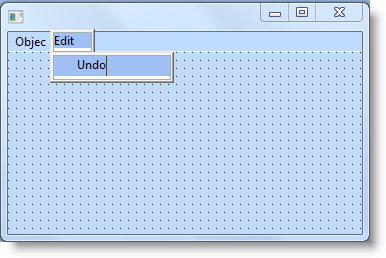
To add more items, use the Enter key. To add submenus, use the Tab key after you have typed in the caption:
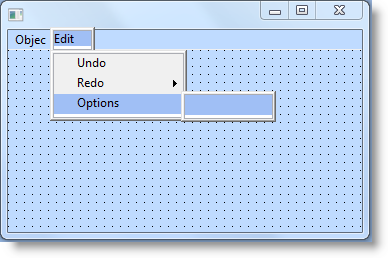
To add more items in the submenu, press the Enter key.
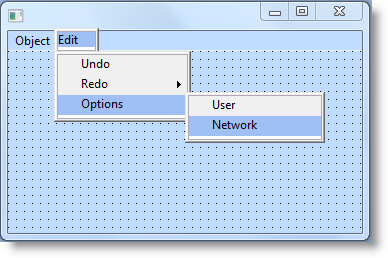
To move to the items and submenus to edit them, use the arrow keys.
To add a separator line, enter a dash  ( - ).
If you look in the Source view, you will see that the editor has created the component definitions for the menu bar, the submenus and the menu items.
     FUNCTION OPTIONS(*DIRECT)
     BEGIN_COM ROLE(*EXTENDS #PRIM_FORM) CLIENTHEIGHT(182) CLIENTWIDTH(354) HEIGHT(240) LEFT(353) MENUBAR(#MBAR_1) TOP(235) WIDTH(370)
     DEFINE_COM CLASS(#PRIM_MBAR) NAME(#MBAR_1) PARENT(#COM_OWNER)
     DEFINE_COM CLASS(#PRIM_MITM) NAME(#MITM_1) CAPTION('Object') DISPLAYPOSITION(1) PARENT(#MBAR_1)
     DEFINE_COM CLASS(#PRIM_SMNU) NAME(#SMNU_1) PARENT(#MITM_1)
     DEFINE_COM CLASS(#PRIM_MITM) NAME(#MITM_2) DISPLAYPOSITION(1) PARENT(#SMNU_1)
     DEFINE_COM CLASS(#PRIM_MITM) NAME(#MITM_3) CAPTION('Edit') DISPLAYPOSITION(2) PARENT(#MBAR_1)
     DEFINE_COM CLASS(#PRIM_SMNU) NAME(#SMNU_2) PARENT(#MITM_3)
     DEFINE_COM CLASS(#PRIM_MITM) NAME(#MITM_4) CAPTION('Undo') DISPLAYPOSITION(1) PARENT(#SMNU_2)
     DEFINE_COM CLASS(#PRIM_MITM) NAME(#MITM_5) CAPTION('Redo') DISPLAYPOSITION(2) PARENT(#SMNU_2)
     DEFINE_COM CLASS(#PRIM_MITM) NAME(#MITM_6) CAPTION('Options') DISPLAYPOSITION(3) PARENT(#SMNU_2)
     DEFINE_COM CLASS(#PRIM_SMNU) NAME(#SMNU_3) PARENT(#MITM_6)
     DEFINE_COM CLASS(#PRIM_MITM) NAME(#MITM_7) CAPTION('User') DISPLAYPOSITION(1) PARENT(#SMNU_3)
     DEFINE_COM CLASS(#PRIM_MITM) NAME(#MITM_8) CAPTION('Network') DISPLAYPOSITION(2) PARENT(#SMNU_3)

     END_COM
...