Page History
The sample application used here has two windows (forms). The first window displays a list of employees, with their employee numbers and home phone numbers.
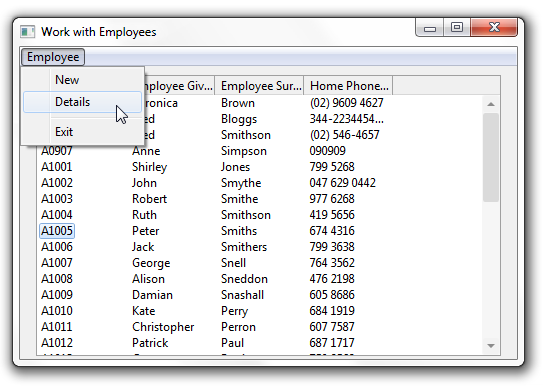
The application can show detailed information about the employee in a separate Employee Details window. This window is displayed when the user selects an employee and then the Details option from the Employee menu.
The Employee Details window shows the address details of the selected employee. It can also be used to change the details: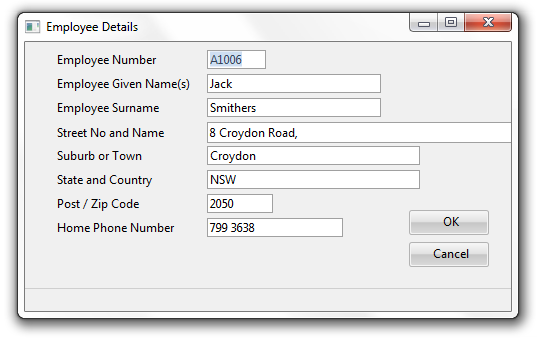
When the user changes the details of an employee on the Employee Details window and clicks the OK button, the details are updated in the database and the window is closed.
When this happens the list of employees in the Work with Employees window is updated to reflect the changes that were made in the Employee Details window.
&<img src="../resources/images/opentoc-dark.png" title="Open Contents List" border="0"&>