Page History
You may want to adjust the properties of the layout. To do this you can set the properties of the layout manager in the Details tab. However, the easiest way to work with the layout managers is to use the Layout Helper.
To display the Layout Helper use the Layouts tab in the ribbon. Choose the component you want to work with from the Layout Managed Component drop-down. The layout specified for it is displayed in the Layout drop-down.
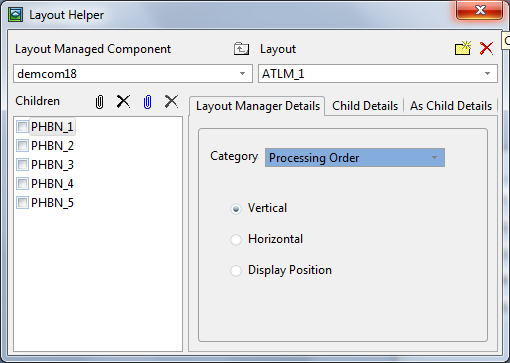
Use the Layout Manager Details tab to set the properties of the layout .
Make sure that you have child components attached to the layout, otherwise you will not see the effects of the changes you make. Then choose the type of properties you want to work with from the Category drop-down: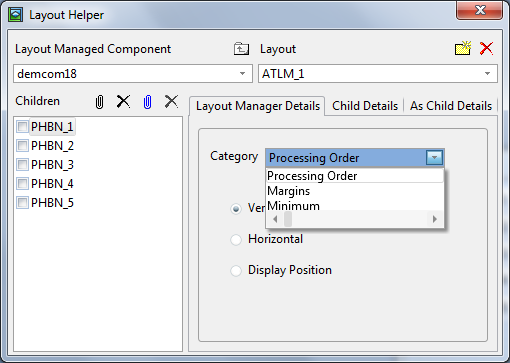
Display the component in the Design view and make any changes you want to the individual properties of the layout in the Layout Helper. These changes are immediately reflected in the layout managed component.
If you want a detailed description of a particular property, select it and press F2 to display its help: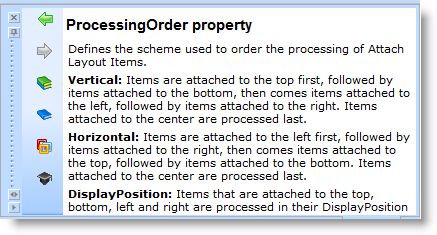
See Also
...
Set the Properties of the Child Components