Page History
Layout managers are visible in the Outline tab:
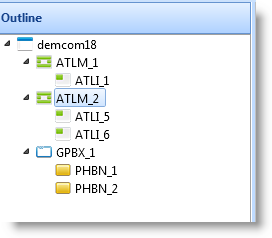
If you have the Show Layout Items option selected in LANSA settings, the layout items attached to all the components in the layoutmanaged component are displayed.
The layout items have their own properties, such as the name of the component it manages, the container, its layout manager, position, margins: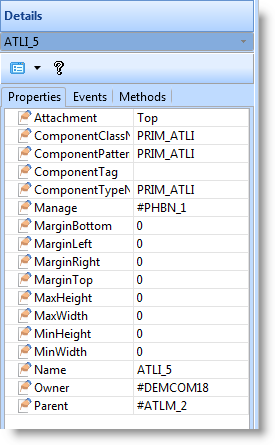
Normally you do not work with the individual layout items but instead define the entire layout using the Layout Helper.
To turn off the display of layout items in the Outline tab, deselect the Show Layout Items option in the LANSA Settings dialog accessed from the Options tab.