Page History
2.1 Quick Rules
In order to speed up your rule setting, the most common rules can be selected from the Quick Rules list.
Add quick rules to a table definition
To access the list, simply open the Table in the editor, navigate to the Rules and Triggers tab, then select Column to which the rule applies and use the  icon
icon  icon on the ribbon or right click on the column.
Add quick rules to a field definition
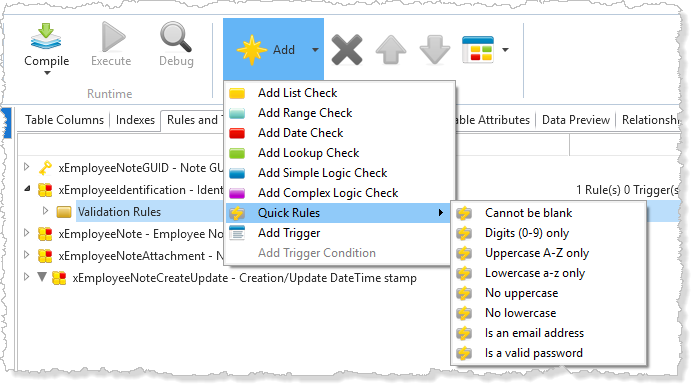
Open the Field in the editor, navigate to the Rules and Triggers tab and then use the icon on the ribbon or right-click in the editor.
Using the Add icon to add a quick rule:
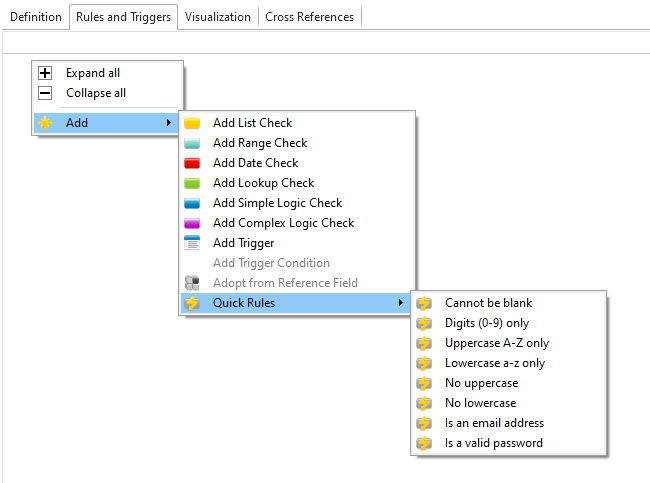
Right click on the editor to add a quick rule:
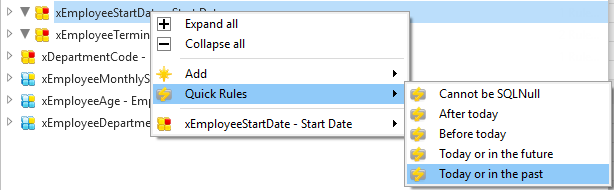
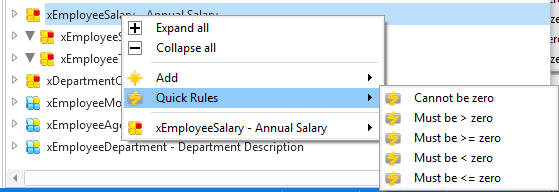
There's a different range of Rules depending on the field or column's definition.
The Quick Numeric Rules:

The Quick Date Rules: