Page History
...
You need to check if the default ports are currently in use.
Run the following command from your IBM i IBM i main menu to check the currently used ports:NETSTAT
NETSTAT *CNN
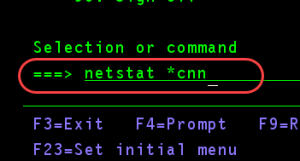

You will be presented with a list of port.
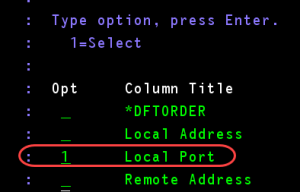
Press F14 to display all port numbers, then F13 to sort by Local Port
Press Page Down to scroll until you are at the range of 8000
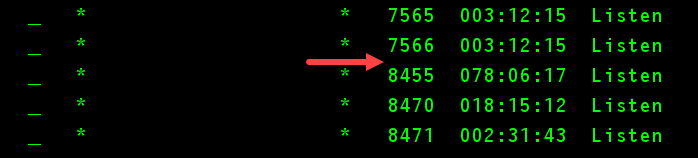
In the example above, you can see that none of the default ports (8005, 8009, 8080) are used, so no further action is required.
However, if any of the default ports are listed there, you need to change the default port to another port that is not currently used.
To do that, open the configuration file server.xml, located under <root-tomcat>/conf with your favorite text editor.
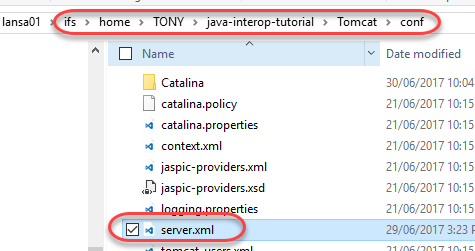
Search for the default port you need to change (8005, 8009, 8080), and change to any free port (1024 onwardsonward).
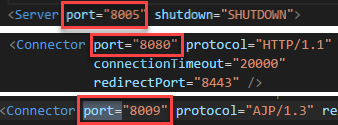
As you checked/changed your ports in the config file, take note of your HTTP listener port number, as this is the port you need to specify in your RDMLX code later (the HTTP port is the Connector node with protocol="HTTP/1.1" property):
