Page History
| Info |
|---|
| This section is similar to the topic with the same title in Tutorial 2, but the steps in this section is not identical, so do not skip this section even if you have done Tutorial 2. |
To promote reuse, it's best to create reusable parts that represent the services you connect to. For example, you'd want to create a WindowsUserServices reusable part, with the following methods:
...
It's recommended that you have one base class for all your services, so you can specify common properties, such as the service URL, in this base class. This way, you have your common properties centralized in one place, instead of having them scattered all over (and if your service URL changes, you only need to change it in one place).
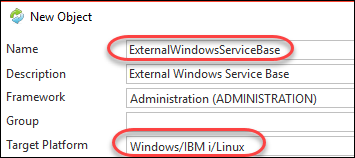
Let's now create a reusable part called ExternalWindowsServiceBase.
Create a method called SetupUrlBuilder. This method sets the URL properties that are common for all services (scheme, hostname, and port number, base path). Adjust the port to the port number you specified when you created your web app in IIS (e.g. 9001).Mthroutine
Mthroutine Name(SetupUrlBuilder)
...
Define_Map For(*INPUT) Class(#XPRIM_UriBuilder) Name(#UrlBuilder) Pass(*BY_REFERENCE)
...
#UrlBuilder.SetScheme( 'http' )
...
#UrlBuilder.SetHost( 'localhost' )
...
#UrlBuilder.SetPort( 9001 )
...
EndroutineThe code above sets up the base URL as http://localhost:9001/ .
.