Page History
This command allows you to work with the list of LANSA processes that require user authentication. You must be signed on as QSECOFR or the partition security officer to use it.
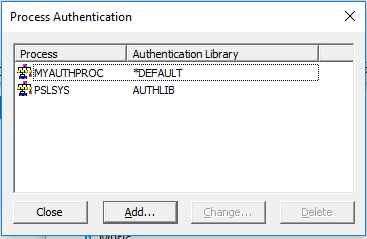
The processes listed in the Process Authentication dialog box are only used if you intend to implement the steps in Configure LANSA Web Security in the LANSA on IBM i Administrators Guide.
The list of processes defined here restricts access to the LANSA processes. A request to any of the processes registered will require a valid Web user profile. The user profiles must be registered to LANSA Web.
To add a new process, press the Add... button. The Add Process dialog box is displayed.
To change a process, highlight the process to be changed and press the Change... button. The Change Process dialog box is displayed.
Refer to to Add or Change Process.