Page History
Start the Visual LANSA development environment.
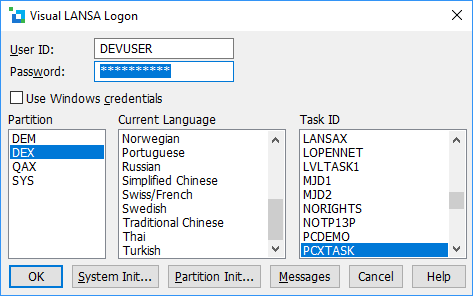
Enter your User ID and Password, AND BEFORE YOU PRESS OK, select the Partition and click the Partition Initialization button.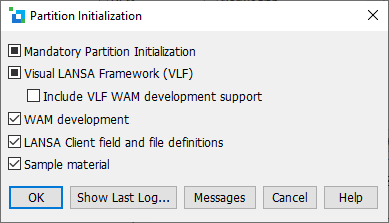
If WAM development has already been selected, the WAM development option will be checked (that is, the check box will be coloured  ). If this is the case, simply press Cancel.
If WAM development has not been selected, click on the WAM development option. A tick will be displayed in the check box. Press OK. The response will be a message for each language in the partition. When the process has finished successfully, you will be returned to the Login dialog.
If the WAM development process fails, you will get a message that a number of imports have failed and the partition initialization dialog will be displayed again. Press the Show Last Log button for further information.