Page History
Extending Timeout
If you are using Internet Explorer, you may need to extend the timeout so that the page can still be displayed after a long debug session.
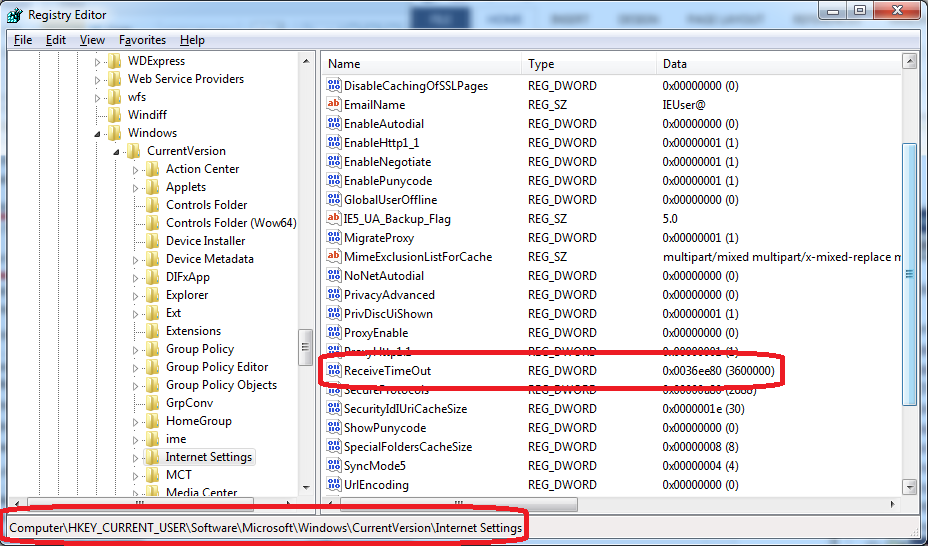
To extend the Internet Explorer time out: Add
Add or Change the Registry:
...
HKEY_CURRENT_USER
\Software\Microsoft\Windows\CurrentVersion \Internet Settings\ReceiveTimeOut
...
The registry is a DWORD value and is specified in terms of milliseconds for the timeout, that is, a value of 3,600,000 means 3,600 seconds (1 hour).
...
If you are using another browser, please refer to the browser's documentation for instructions about changing similar settings.
| Warning |
|---|
| Caution: Do not interact with the page shown on the browser while the underlying LANSA web application in debug mode is paused in the Visual LANSA Editor. If you do so, in most cases the application will behave incorrectly and system clean up may be required to return the application to normal. |