Page History
You can specify whether workstation locks will be applied when developers edit objects in the LANSA Repository. Object locking is defined at the repository level and not at the individual workstation level.
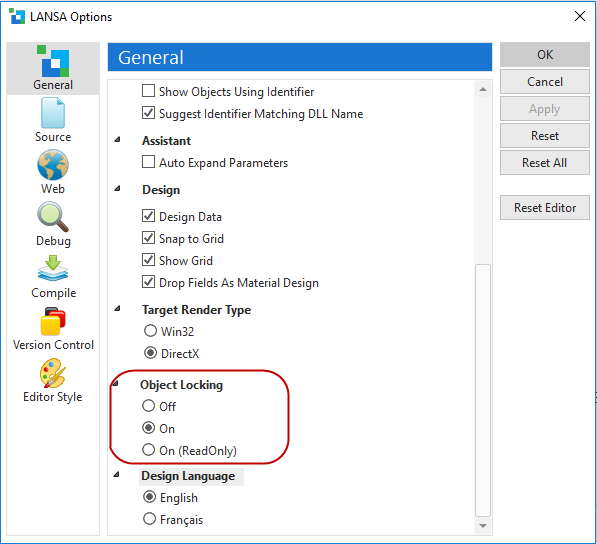
The object locking option is used to enable or disable Database-wide and Workstation-wide locks. To understand object locking, refer to Object Locking Concepts.
Object locking can also be used to set all objects in the partition to a ReadOnly status so that no changes can be made. Developers will be allowed to open objects in the editor in read-only mode.
You can see a list of all objects locked by a specific workstation as described in 8.5 Workstation Locks.
If you have more than one developer sharing a single LANSA repository, it is strongly recommended that object locking is turned on.
Object locking is part of a complete Change Management strategy.