Page History
Execute the Workstation Locks form, XVFLOCK, to manage any workstation locks on the Repository. You must have administrator authority to display and clear all workstation locks.
To do this, go to the LANSA Folder, expand the Execute Applications folder and select |
 to
to |

|
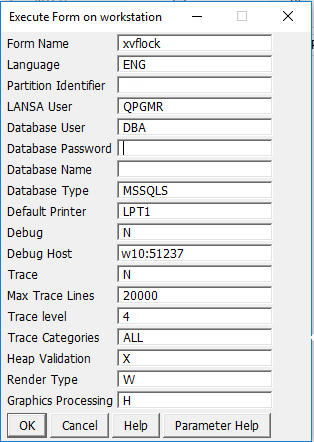
Press OK to open the Workstation Locks list: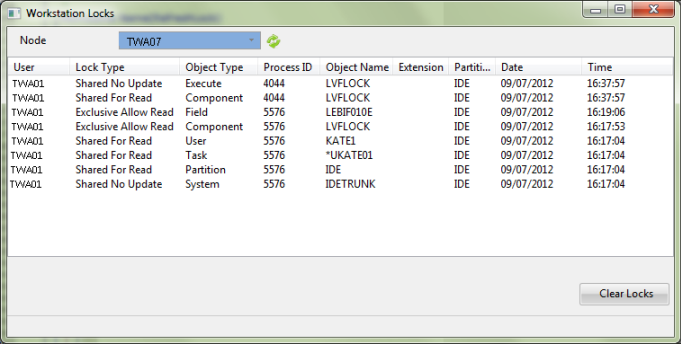
Select the desired workstation from the dropdown list to display the details of any locked objects for this workstation. Use the refresh button beside the dropdown to ensure you are viewing the latest details.
If you do not have administrator authority you will only see a list of the workstation locks related to your user profile. You cannot clear the workstation locks.
If you do have administrator authority you will see the details of all workstations and their related locks and will be able to clear the locks if the associated process is not active.