Page History
You can execute an import where the import data is from a directory on a local drive.
To do this, go to the LANSA Folder, select the Settings and Administration folder, expand the Utilities folder, then click on |
 to
to |

|
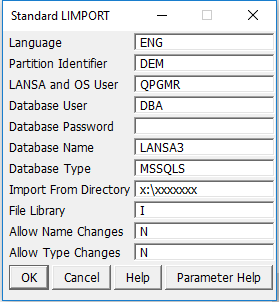
The Visual LANSA development environment does not have to be active to perform an import, but the Visual LANSA database services must be active so that the import can establish a database connection.
Use the Parameter Help button for detail about any of the required input fields.