Page History
It is important that you have identified ALL of the EPCs that have been applied to the LANSA software being executed.
To check the EPCs already loaded, click on the small arrow to the right of the Visual LANSA Editor window to open the menu, then select the About option:
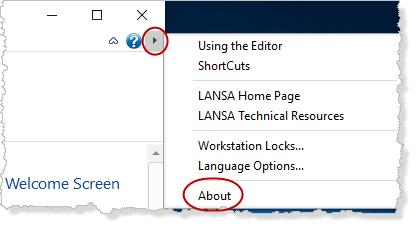
In the About, or Product information dialog, select the Installation Details tab to view a list of the EPCs that have been loaded.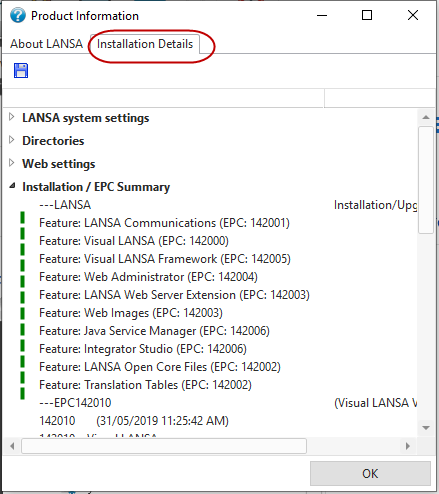
Refer to the EPC Information in the Technical Resources of the LANSA website for EPCs available for download. These are for registered Maintenance customers.