Page History
In this step, you will cause a fatal error to occur and the then view the error log. The error log is associated with run-time errors.
1. We will add code in order to create a run time error. Add the code in red below to the bottom of the CreateInstance event handling routine:
          . . . .
          End_Loop

     #std_num := (#std_num / 0)

          Endroutine
2. Compile the form iiiDragandDrop.
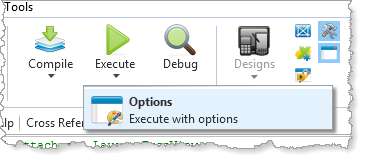
3. On the Home ribbon, click the down arrow on the Execute button, to display the Execute options dialog:

4. Select Form using DirectX and click OK. 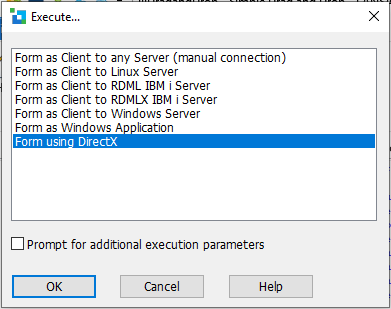
5. A fatal error is displayed.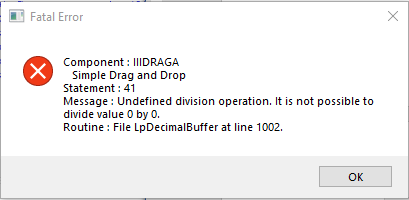
6. Close the Fatal Error message box (Click OK) and Cancel the Message window.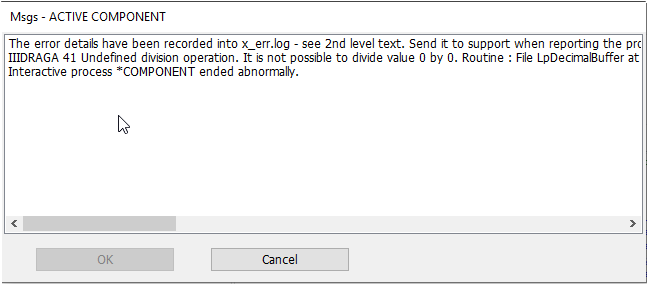
7. On the Home ribbon, click on History and, from the Error Logs menu select Local.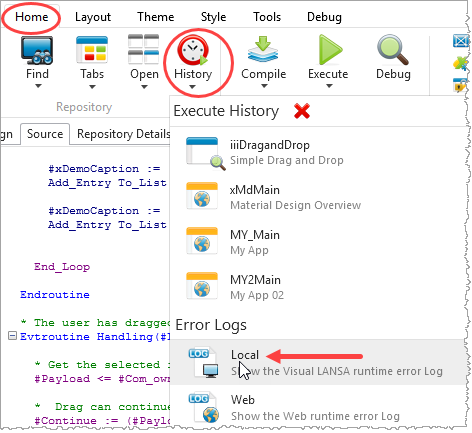
to view the Visual LANSA Error Log:
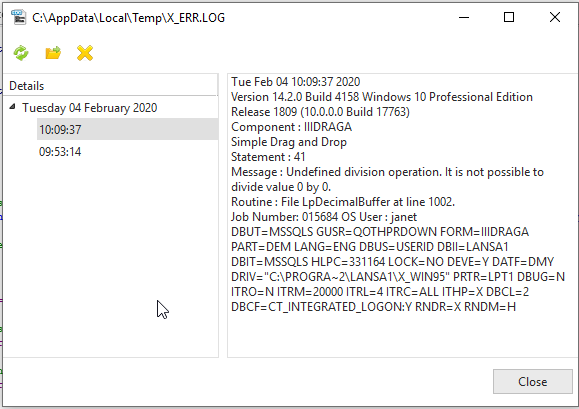
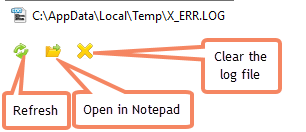
The toolbar buttons enable the error log to be refreshed, opened in Notepad, or cleared.
The error occurred because we added a zero divide error to the form iiiDragandDrop.
8. Close the Error log window.
9. Remove the zero divide assignment from the CreateInstance event routine and recompile the form.