Page History
...
In
...
this
...
step
...
you
...
will
...
change
...
the
...
script
...
that
...
displays
...
the
...
employee
...
details
...
by
...
replacing
...
the
...
hardcoded
...
employee
...
number
...
with
...
the
...
employee
...
number
...
of
...
the
...
currently
...
selected
...
instance
...
list
...
entry.
...
As
...
you
...
are
...
completing
...
this
...
exercise
...
you
...
may
...
want
...
to
...
refer
...
1.Select the FindEmployee junction screen in the screens and scripts list.
2. Expand it to display the script associated with it.
3. Select the script in the list to display its contents:
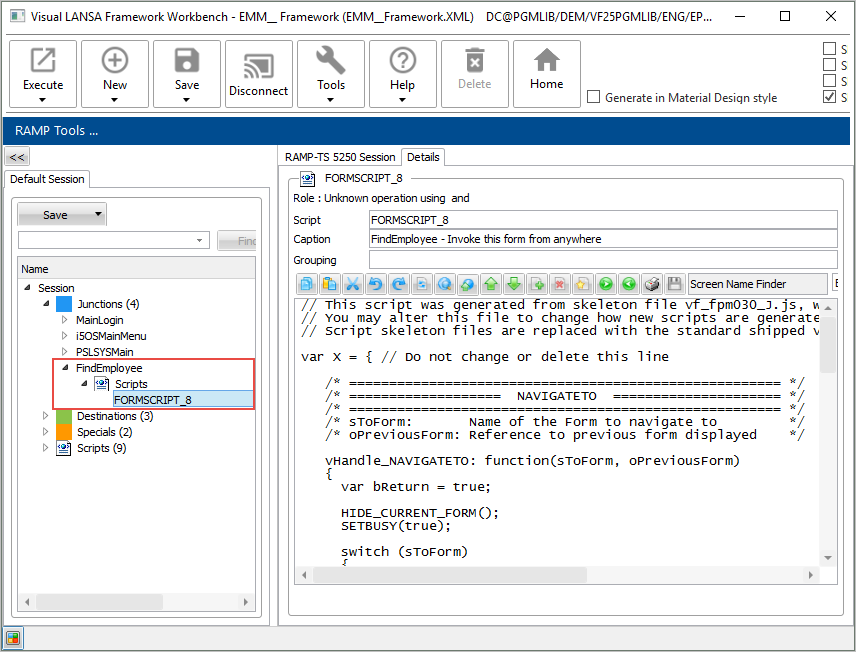
4. Locate this statement in the NAVIGATETO function:
SETVALUE("txtEmpno","A1234");
...
5.
...
Select the
...
Employee
...
Number,
...
and
...
the
...
quotes
...
surrounding
...
it,
...
and
...
right-click
...
to
...
bring
...
up
...
the
...
context
...
menu.
...
6.
...
Select the
...
Current
...
Instance
...
List
...
Entry
...
option
...
in
...
the
...
menu.
...
7.
...
Select Alpha
...
Key
...
1
...
in
...
the
...
submenu:
...
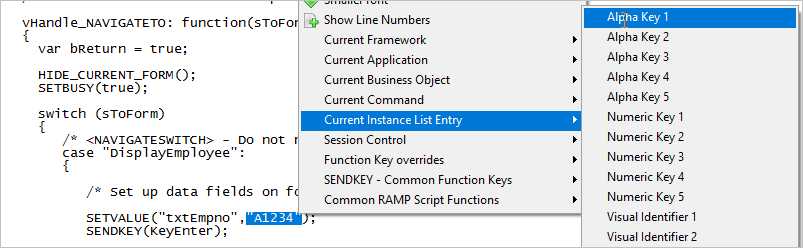
The statement is changed to:
SETVALUE("txtEmpno",objListManager.AKey1
...
[0
...
]);
...
This
...
special
...
value
...
will
...
contain
...
the
...
identifier
...
of
...
the
...
employee
...
that
...
the
...
end-user
...
has
...
selected
...
in
...
the
...
instance
...
list.
...
8.
...
Commit the
...
changes
...
to
...
the
...
script
...
by
...
clicking
...
the
...
Commit
...
Changes
...
button:

9. Do a partial save of the RAMP information
10. Execute the Framework as a VLF-WIN application, as a Designer and select an employee in the instance list.
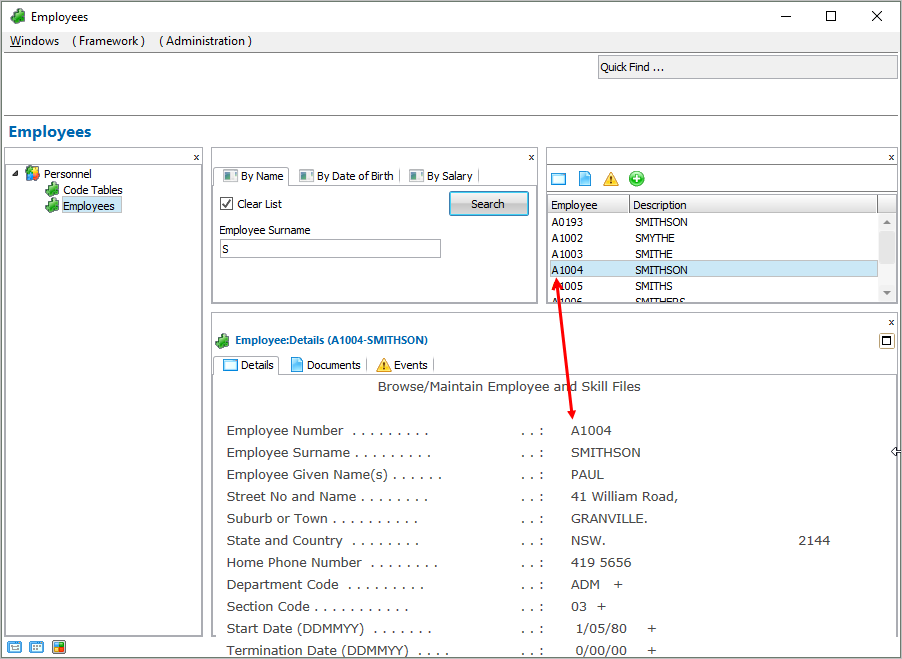
Notice that the correct details for the selected employee are now shown. If for some reason, you cannot display the employee details correctly, restart the Framework.