Page History
In this step you will enable RAMP and change the user administration settings so that the user is required to sign on to the server.
1. Close the Framework Windows Designer window.
2. Switch to the Framework workbench.
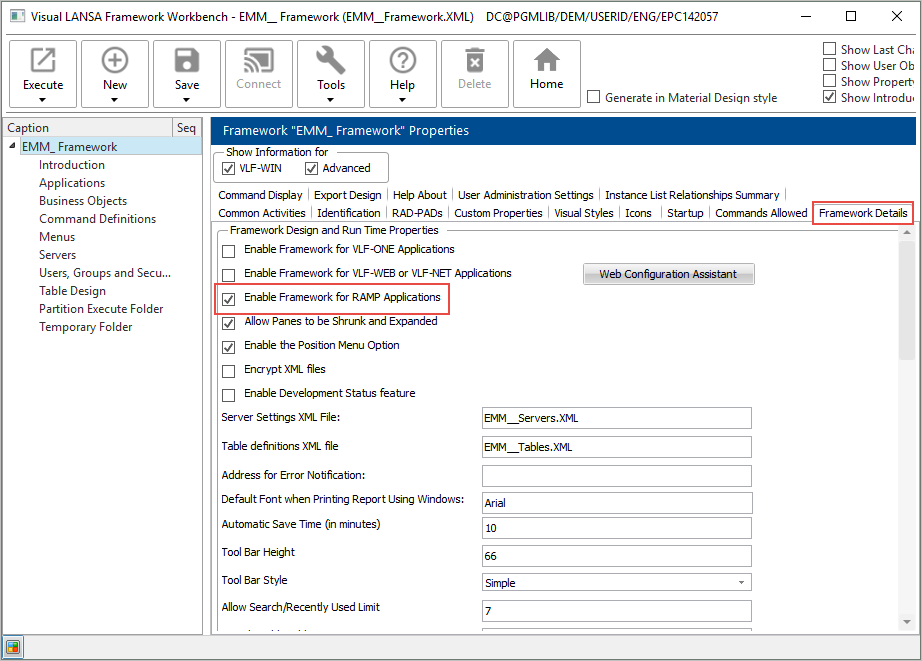
3. Enable RAMP in the Framework Details tab.
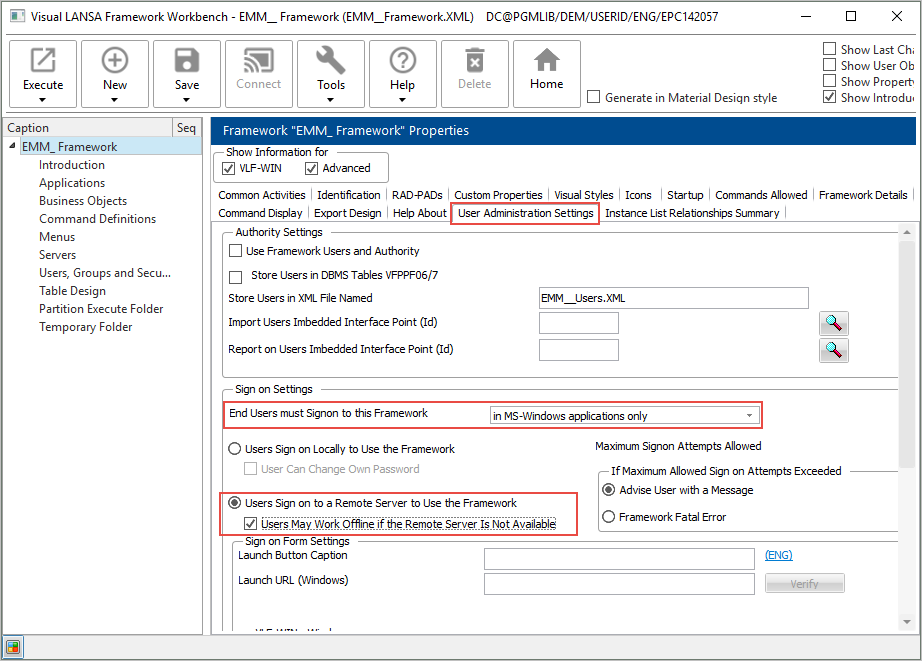
4. In the Framework User Administration Settings tab specify that the user needs to sign into the Framework in Windows applications.
5. Save and restart the Framework.