Page History
In this step you will name the fields to be copied on the DisplayEmployee screen.
1. Start a RAMP-TS emulator session in RAMP Tools.
2. Ensure that the Auto Update Navigation Scripts check box is not checked.
3. Navigate to the DisplayEmployee screen and press F21 to put it in edit mode.
4. Name the Employee number and Given Name fields txtEmpno and txtGivename. The Surname field should have been named txtSurname in a previous tutorial:
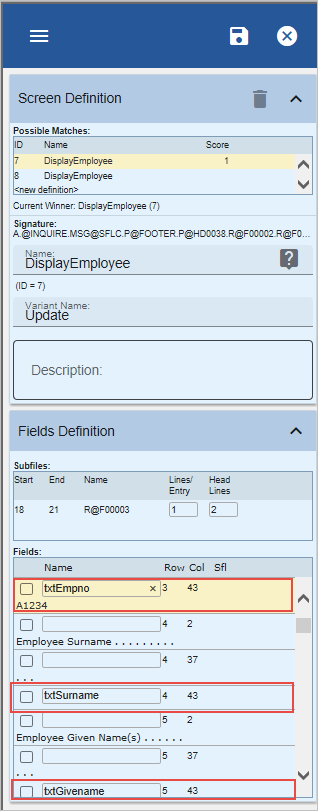

Bear in mind that the field names are case sensitive.
5. Click on the Save button on the Screens tab.