Page History
Connect to the host and then using RAMP Tools:
Sign in to arrive at the MAIN menu screen.
In the COMMAND field type:
lansa run df_ramp dfrcusm partition(dem)
Press Enter.
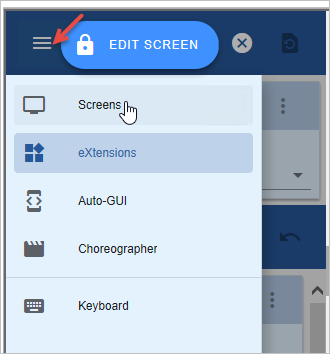
Switch to the Screens view:
In the screen:
- Name it CUS_KEY
- Name the Customer Number field KEY.
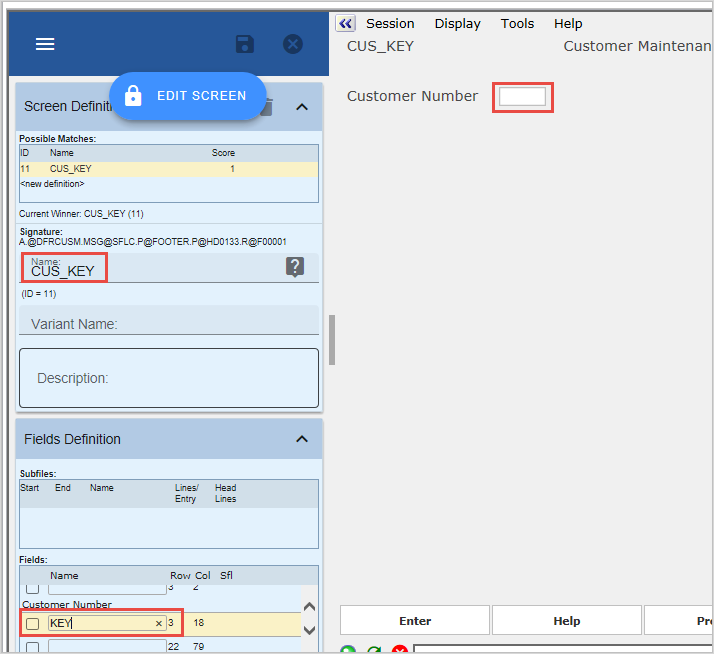
Save the screen.
Classify CUS_KEY as a Junction. The screen now looks like this:
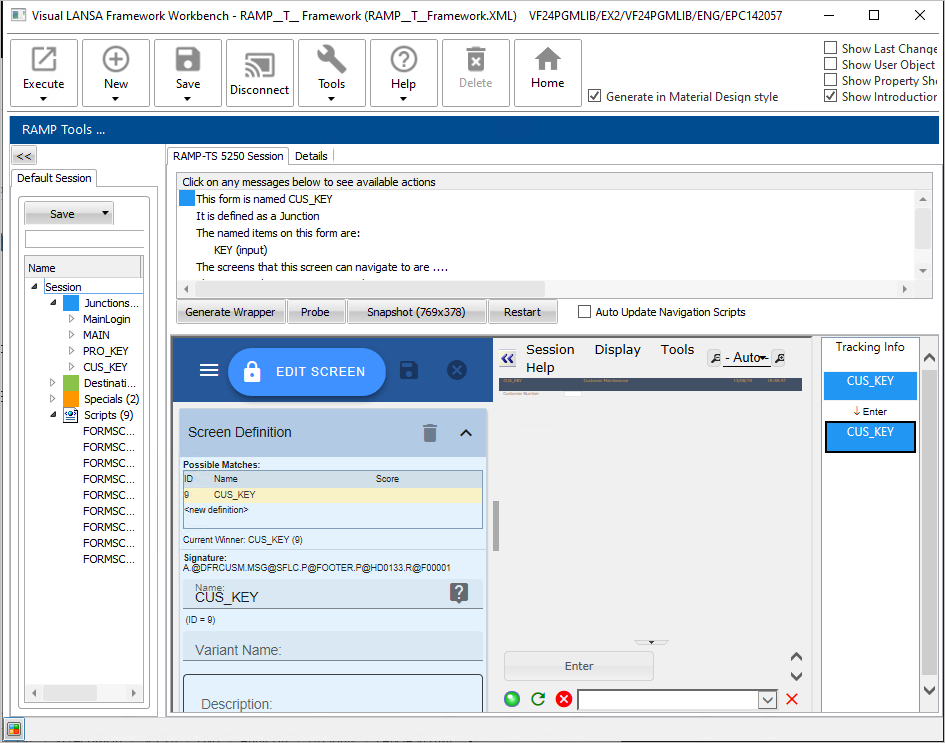
Type in 1001 in the Customer Number field and Press Enter.
You arrive at the CUS_MAINT destination screen.
Name it CUS_MAINT and save it.
Classify it as a Destination
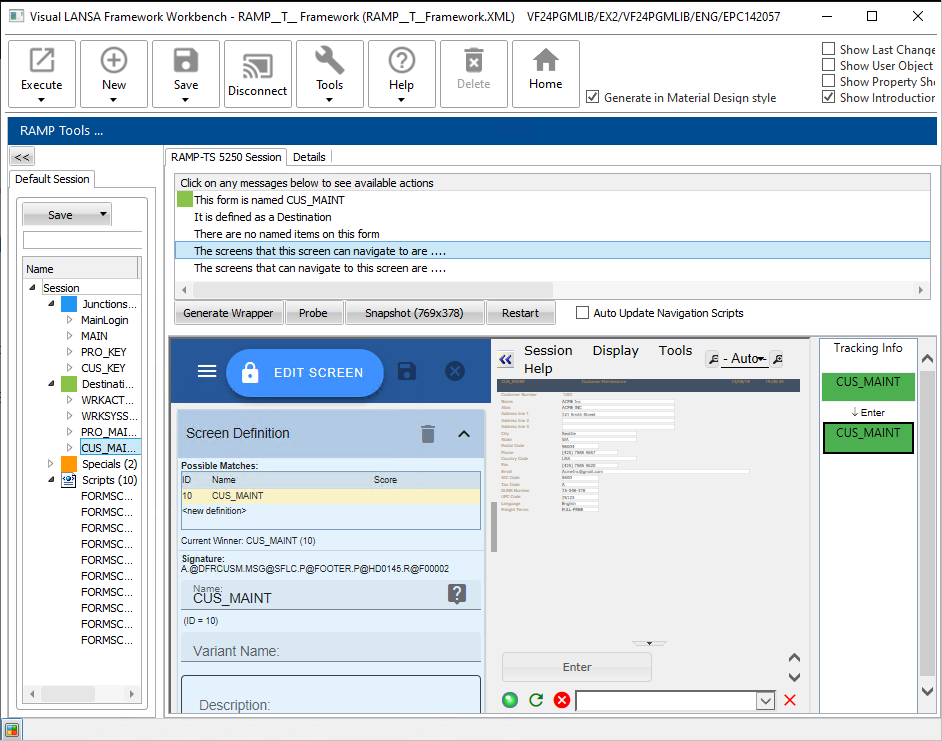
The screen now looks like this: