Page History
This command allows you to specify the sequence in which you want to see the data. You can use this command when you are working with a Query window or a Results window.
Select the Sort Options command or this 
 toolbar icon to open the Sort Options dialog box where you specify your sort criteria.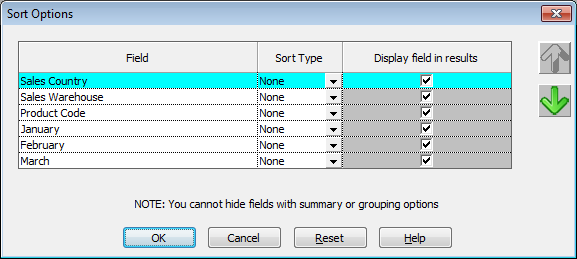
LANSA Client gives you the option of displaying/not displaying the fields that you are using to sort the data.
If you change a query's sort options, the revised sorting criteria are saved when the query is next saved.