Page History
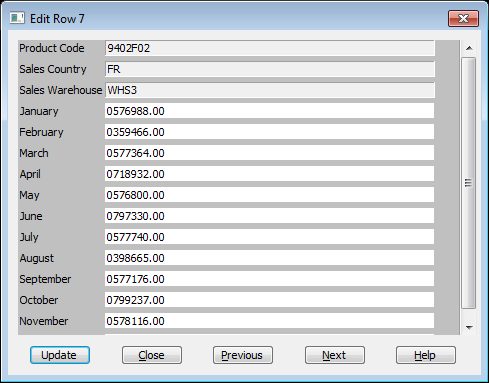
When you highlight a row in the Result window and select this command, an Edit Row dialog box is presented to you so that you can change data.
This command is not available if:
- the The query contains more than one file.
- this This option is not enabled in your LANSA Client environment.
- this This option has not been enabled via the the 8.5.4 Output Options command.
- you You are not authorized to change the database.
Note that there is no programming required to create this dialog box.
Key fields are formatted in read-only mode, so that you cannot attempt to change them.
| Refer to LCE210 - Update Data in the Tutorial for more about editing data. |
