Page History
LCE260 - Group, Summary and Sort Options
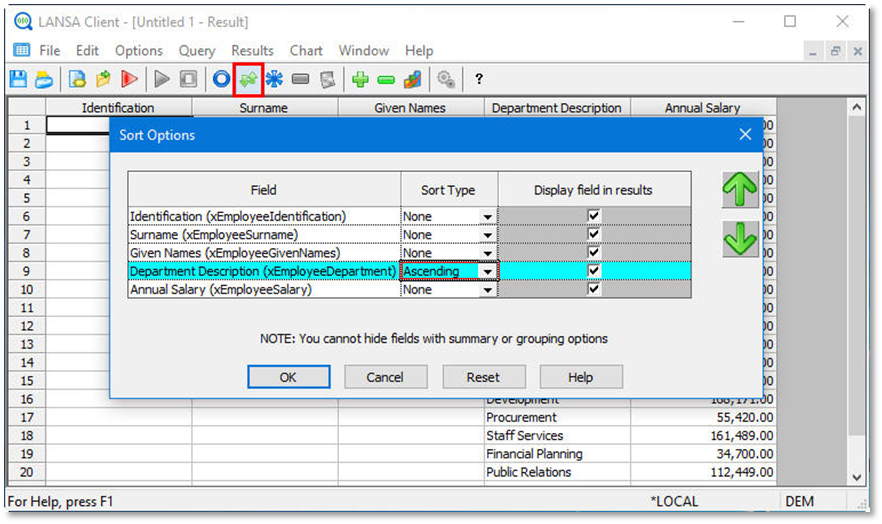
1. From the toolbar select the Options menu and then choose the Sort Options… command.
Alternatively, you could select the 
 Set the sort options icon from the toolbar.
2. Sort your data by Department Description, in Ascending order.
As you are still in the results window, your query will refresh automatically.
3. Click the OK button to continue.