Page History
LCE260 - Group, Summary and Sort Options
1. From the toolbar select the Options menu and then choose the Group By command.
Alternatively, you could select the 
 Set the result grouping options icon from the toolbar.
2. Apply the Summary options to your grouped fields while you stay positioned in the Results window.
3. Click the OK button to continue.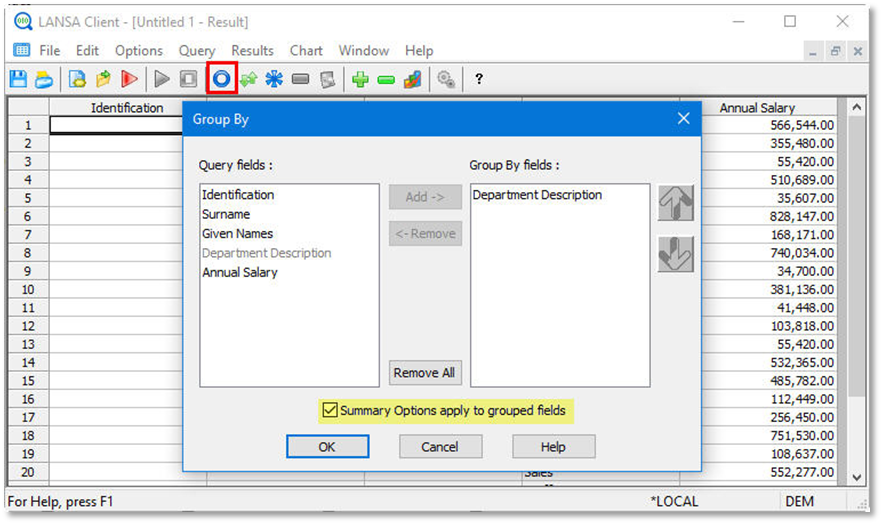
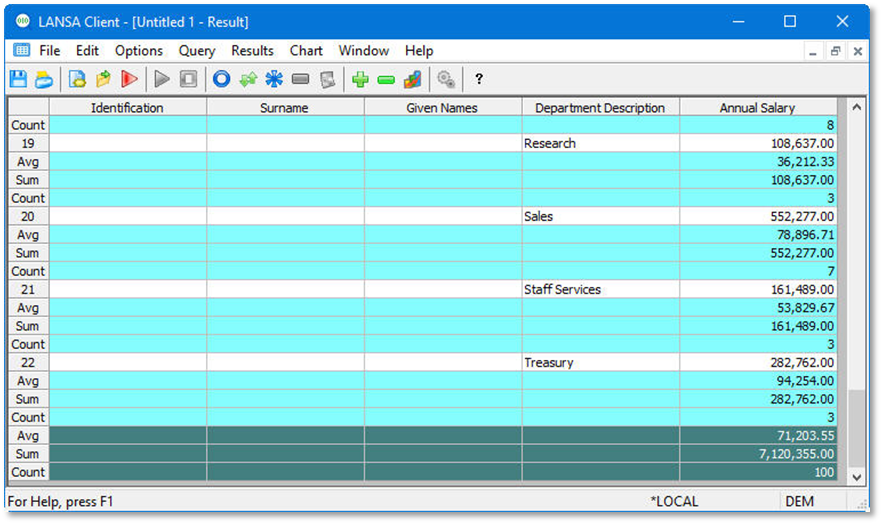
4. Try using the Expand and Collapse and expand options.