Page History
LCE260 - Group, Summary and Sort Options
1. Make sure that the query window has the focus or click your mouse on an area of it.
You can move the focus to the query window from the toolbar selecting the Window menu and choose to either:
Tile or Cascade and then click anywhere on the query window
or
select the query window from the list.
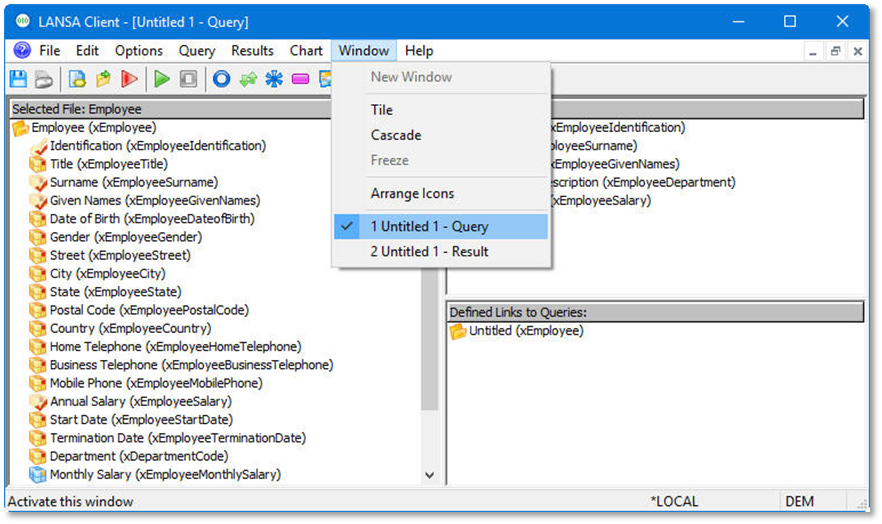
2. From the toolbar select the File menu and choose the Save As from the list.
3. From the Save As dialog box, give the File name: Salary values grouped by Department. The Save as type: will default to LANSA Client Query File (*.LCQ)
4. Press the Save button.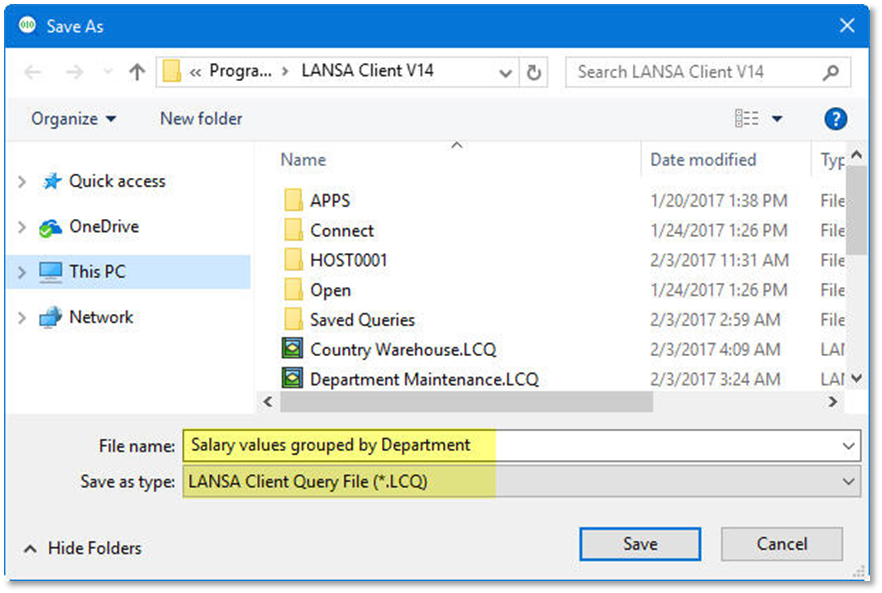
5. Close the query, result and chart windows.
Do
Do not disconnect from this host.