Page History
LCE310 - Charting in your Query
1. Click on the Execute (run) the current query icon  from the toolbar.
Alternatively, from the toolbar select the Query menu and then choose the Execute command, or use this command's accelerator keys (Ctrl + E).
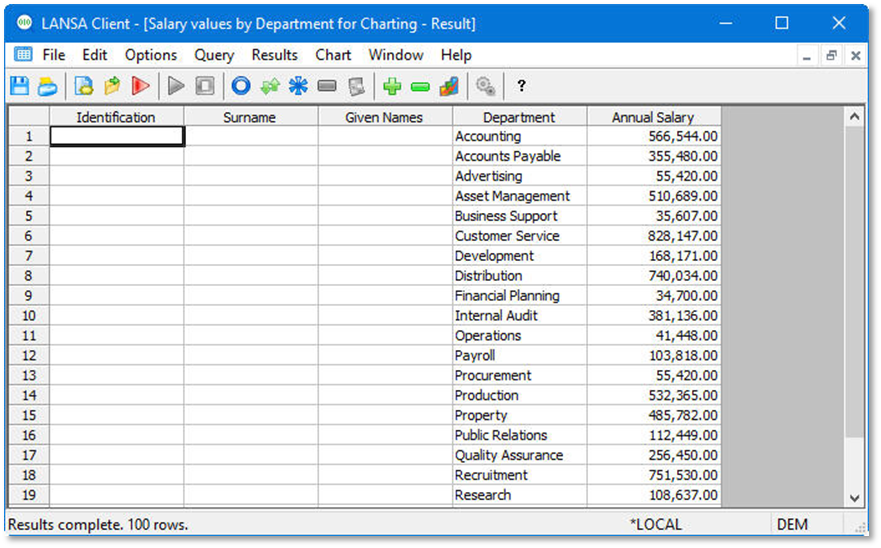
Notice that the data in the results window is collapsed to department level.