Page History
LCE430 - Build & Execute a Generated Application
1. Add a new menu to the menu bar by placing your mouse pointer on any item in the Menu box and pressing the Add button.
You will see a blank entry added above the Options item in the Menu box? This will become a menu on your application's menu bar.
2. Give the new menu a name, by entering &Employees in the Menu Text entry box.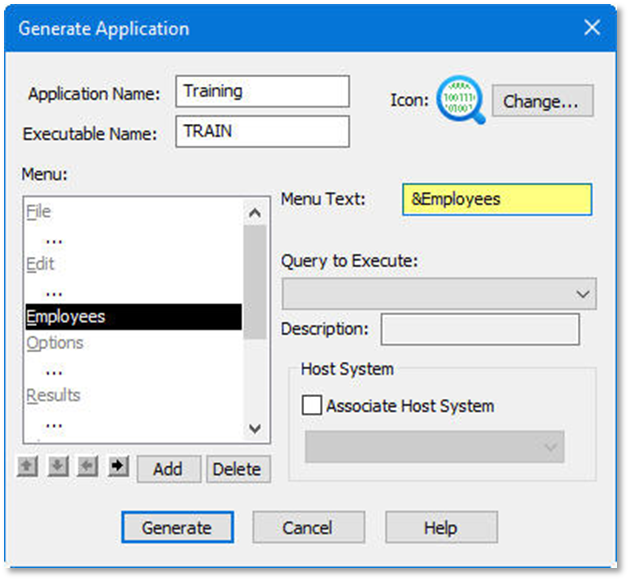

| Tip |
|---|
| Tip: |
...
| You have added a menu item called Employees to the menu bar with "E" as its short cut key. The '&' character does not appear, but it causes the E character to be underlined. |