Page History
...
1. To test your change to the default value of the iiiEmployNumber field, you need to force the recompile of the test form.
a. On the Favorites / Last Opened tab, locate your iiiTestFields form.
b. Right-click on iiiTestFields and select the Compile option from the context menu.
c. When the Compile options window appears, deselect the Compile only if necessary option.
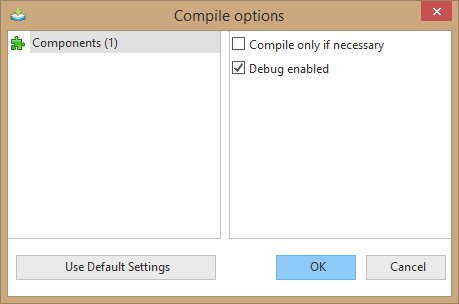
d. Press OK to submit the compile.
Notice Notice that the status of the submitted compile appears in the Compile window at the bottom of the Editor.
2. Once your form has compiled, execute it.
Notice Notice the default value for the Employee Number which appears when the form first displays. This value was assigned by accessing the system variable and determining the next available number.
...
4. Execute the form again.
Note Note the value in the Employee Number field has been incremented by one. The system variable automatically updates to the next available number each time it is accessed (by your application or any other application in any partition in the system).
...
If 50 people were executing your test form, each person would see a different default value. When
When the Employee code reaches 99, it will reset to 1.
| Note |
|---|
| Note: You normally use this type of system variable to generate unique numbers, such as the next available order number. |