Page History
You can only perform this step if you can access your LANSA master system on the IBM iIBM i.
In this step, you will check the contents of your LANSA master system and confirm that your master system profile and task ID are valid by connecting to the master.
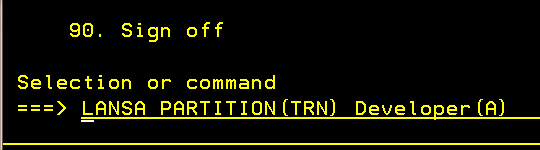
1. Logon to your LANSA master system using Client Access or any available 5250 emulators. Use your LANSA developer profile and password to confirm that your LANSA profile are valid for development on the master. Logon to the LANSA partition where you will check in your changes. For example:
| Note |
|---|
...
| Note: Use the partition name you are using for training. |
The The Developer(A) parameter runs LANSA's work interface.
2. From the LANSA Main System Menu, select the option to Work with Files.
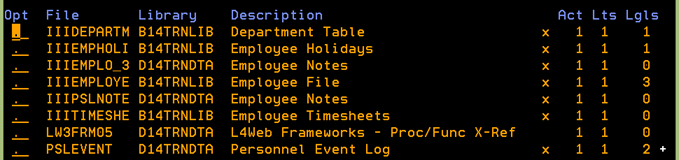
Use Use the Position to field, to list tables beginning with your initials. At this point, your tables are not defined in LANSA for ifor i. Your list of tables will look something like the following:
| Note |
|---|
...
| Note: LANSA for i uses the terminology "file" instead of "table". |
3. Exit the LANSA master system.