Page History
In this step, you will view the help for components which provides details about the component and examples of using it. This help is particularly important as you edit forms and reusable parts.
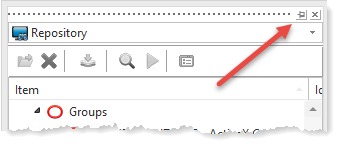
1. Select the Repository tab and click the button to pin it open (canceling Autohide).
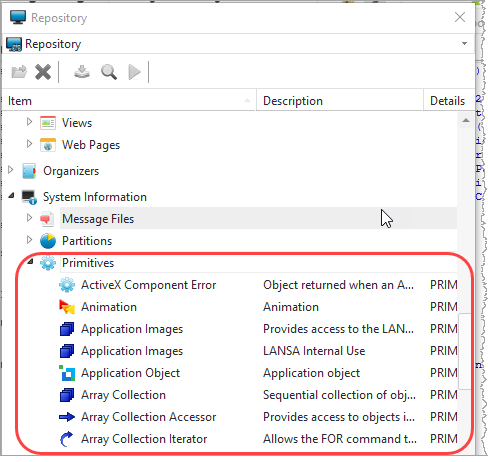
2. Under System Information, expand Primitives.
3. Scroll down to find Combo Box:
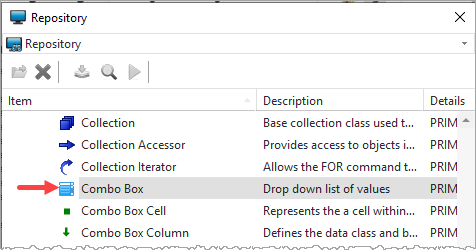
4. Select Combo Box and use the context menu to select Features. The Features tab will be displayed, showing the combo box control's Properties, Events, and Methods.
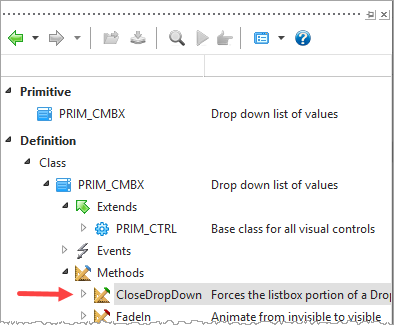
5. Expand Methods and double click on CloseDropDown. Help for this method will be displayed in your default browser as shown in this example:
...
This help is available for each components component Properties, Events, and Methods.
Note that F1 provides context-sensitive help both when using Visual LANSA's dialogs (such as Create Form) and in the Source editor. F1 will always link you to a suitable reference in the online guides.