Page History
In this step, you will execute the form iiiDragandDrop form from the development environment.
1. On the Repository tab, right-click on iiiDragandDrop to display the context menu.
2. Select the Execute option. (You can also use Ctrl+Shift+E.)
The Execute... dialog is displayed:
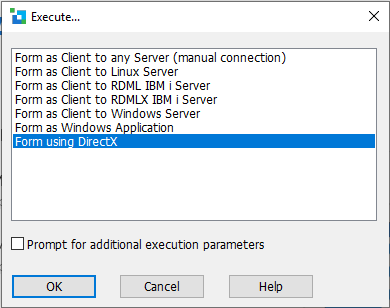
3. Select the Form using DirectX option.
Make sure the Prompt for additional execution parameters option is not selected.
4. Click the OK button.
5. The drag Drag and drop Drop form will open:
