Page History
The VLF-WEB/NET Configuration Assistant makes the web configuration of the Framework easier. Its use is optional, the alternative is to configure the VLF web using the Developer Preferences (in Framework Properties) and the VLF Administrator Console.
Initially, you specify the caption, IP address, and port for the web server: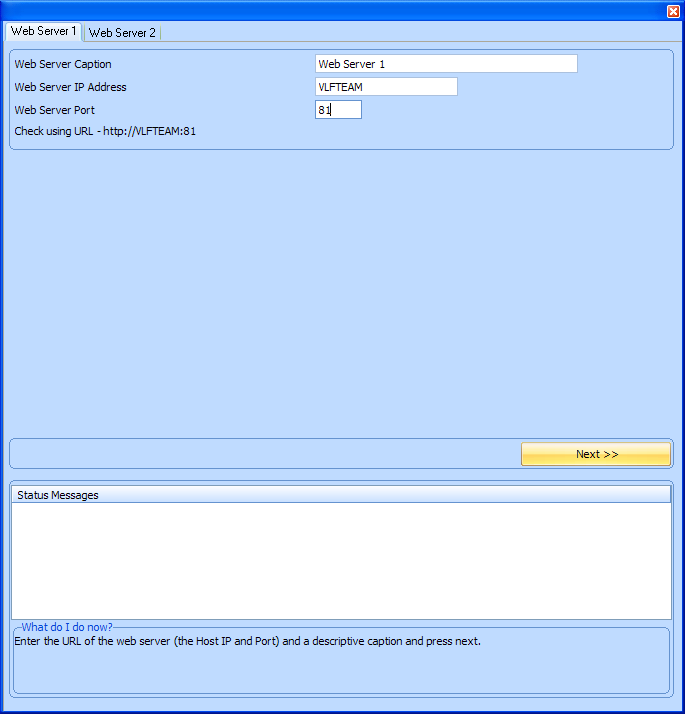
The VLF-WEB/NET Configuration Assistant then detects information about the server and if necessary requests more details: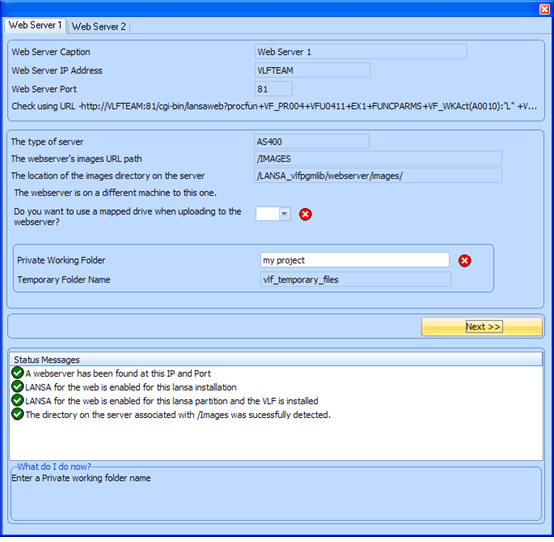
The web server details specified using the VLF-WEB/NET Configuration Assistant are recorded in the Developer Preferences tab for the web server.
The VLF-WEB/NET Configuration Assistant can be accessed from either the (Framework) menu, or from the Framework Properties --> Framework Details tab.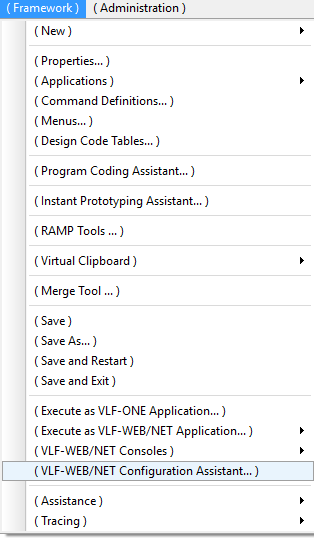
Before you start, it will make configuration easier if you ensure that the following has been done:
- LANSA for the Web is installed, configured, and started on the web server.
- The partition you are working with on the web server is enabled for LANSA for the Web, and has been initialised.
- The partition you are working with on the web server is enabled for RDMLX.
- The Framework (EPC870 or later) has been imported into that partition on the web server.
- The web server is accessible from your PC.
- If the webserver is located on a different machine to your development machine, map a network drive to the web server, and record the drive letter used. See Do you want to use a mapped drive when uploading to the websever?
The VLF-WEB/NET Configuration Assistant will define your web server(s) to the VLF. It will create a VLF temporary files directory and your project directory within the images directory on the webserver.
Start by entering the web server's description, IP address and port, and press next. Then follow any subsequent instructions.
| Warning |
|---|
Warnings:
|