Page History
1. With your iiiHelloWorld form open in the editor, in the Design tab, click on the form title bar, and select the Details tab on the left (or press F7). The Details tab will be displaying the form properties. Note that the components drop down at the top shows "iiiHelloWorld". You can select any of the form's component to work with, from this dropdown.
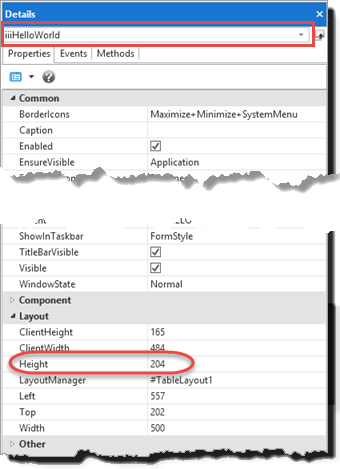
For For example, note the form's Height property is highlighted.
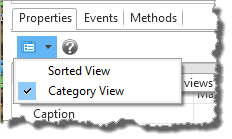
This image shows the Details tab's Category View. You can also select the alternative Sorted View from the toolbar button:
2. Resize the form on the Design tab and note the change in this property.
3. Select the Source tab.
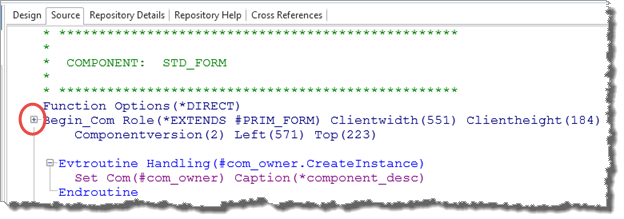
Note Note the + icon to the left of the Begin_Com. An editor setting is compressing compresses component definitions to save space at the top of the source code. You can change this setting form from the File menu / Options / LANSA Settings / Source dialog.
Click the + icon to expand the component definitions:
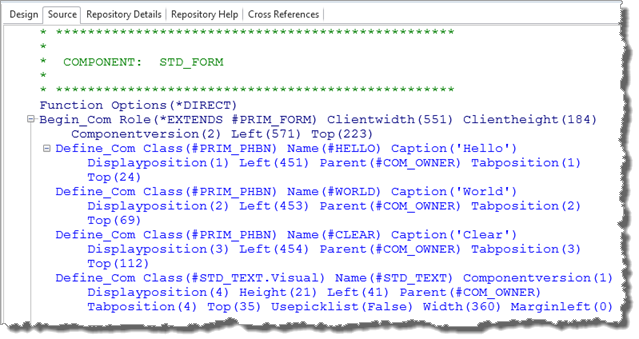
The The component source is defined within the Begin_Com / End_Com statements.
...
4. Examine the Define_Com component definitions:
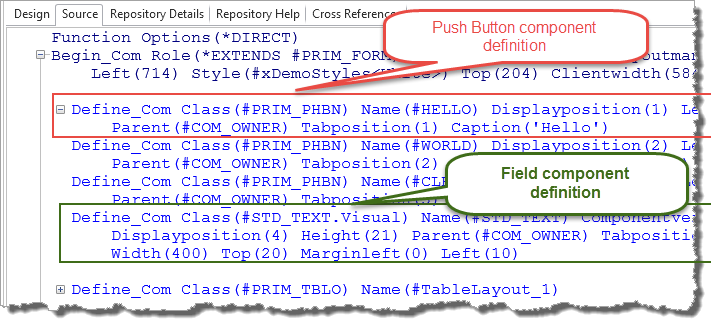
All components are usually defined at the top of the source code.
5. Select the Design view. Select the field STD_TEXT. Note that the Details tab shows the field component's properties. Once again, in the editor the Define_Com code shows only properties that have non-default values.
...