Page History
...
1. Create a new field, iiiMONTH based on the following:
Field Name | iiiMONTH |
Description | Month |
Type | Signed |
Length | 2 |
Decimals | 0 |
RDMLX Enabled | No |
Open in the Editor | Yes |
2. With the new field open in the editor, select the Visualization tab.
Use Use the toolbar button to insert a Static Picklist.
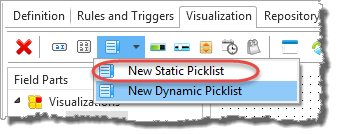
3. In the Field Parts panel, select the picklist item and create entries for each month.
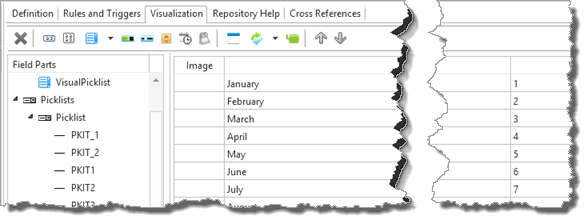
The default appearance of a picklist is a DropDownList. Do not change this setting:
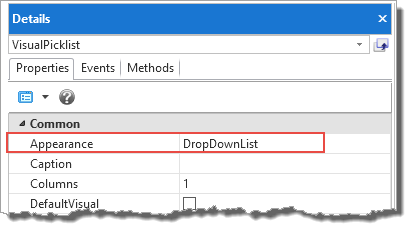
4. Set the properties of the VisualizationPicklist element in the Details tab:
a. Change its MarginLeft to 0, to hide the label.
b. Change its DefaultVisual property to True.
c. Resize the DropDownList visualization as shown:
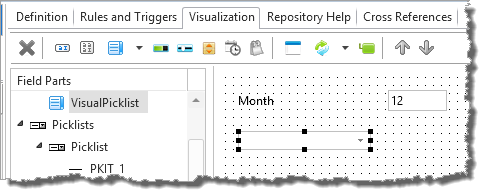
5. Save the field definition and close it.
...